.svg)
.svg)
.svg)




Computer Repair Near Me vs. DIY Repairs: Which One Is Safer for Your Data and Hardware?
Table of Contents
- Quick Answer Summary
- Key Takeaways
- Common Computer Issues Users Try to Fix Themselves
- Which DIY Computer Repairs Are Generally Safe?
- High-Risk Repairs You Should Avoid Doing Yourself
- Hardware Damage Risks: What Can Go Wrong?
- Data Loss Risks & Cybersecurity Hazards
- Hidden Costs of DIY Fixes
- Benefits of Choosing Professional Computer Repair
- Comparison: DIY Repair vs. Professional Repair
- Real-Life Repair Scenarios in Houston
- Debunking Common Myths About DIY PC Fixes
- Essential File Protection Steps Before Any Repair
- How to Choose a Trustworthy Houston Computer Repair Shop
- Final Verdict & Next Steps
- Frequently Asked Questions
Quick Answer Summary
When your PC or laptop starts crashing, freezing, or throwing blue screens, deciding whether to search for a computer repair near me or grab a screwdriver and follow a YouTube tutorial comes down to one question: What is the risk to your data and hardware?
For basic tasks like cleaning out dust, running malware scans, or swapping external peripherals, DIY fixes are cost-effective and safe. However, when dealing with motherboard repair, cracked laptop screens, failing hard drives, or deep liquid damage, attempting a DIY fix carries a high risk of permanent hardware destruction and irreversible data loss. Working with certified local computer technicians ensures proper static electricity (ESD) protection, exact diagnostic tools, and professional data safety guarantees.
Key Takeaways
- Data Comes First: Hardware can be replaced; lost family photos, work spreadsheets, or financial documents often cannot. Always back up before opening a chassis.
- Static Electricity is a Silent Killer: Electrostatic discharge (ESD) can fry sensitive micro-components without producing a visible spark or sound.
- Laptops Are High-Density Systems: Replacing parts inside modern thin laptops or MacBooks requires specialized tools, steady hands, and microscopic trace alignment.
- The “DIY Discount” Myth: Ordering wrong replacement parts, snapping delicate ribbon connectors, or stripping screws frequently makes DIY fixes more expensive than hiring a local PC repair service.
Common Computer Issues Users Try to Fix Themselves
Computer trouble always seems to strike at the worst possible moment, right before a project deadline, during a work-from-home zoom call, or in the middle of a gaming session.

Home users, students, and freelancers frequently attempt to resolve these everyday issues on their own:
- Slow boot times and sluggish performance
- Blue Screen of Death (BSOD) system crashes
- Overheating fans and sudden thermal shutdowns
- Malware, spyware, or browser redirect pop-ups
- Unresponsive keyboards, trackpads, or charging ports
- Clicking or buzzing noises coming from inside the CPU casing
While software tweaks often yield quick wins, physical hardware problems are far trickier than video tutorials make them look.
Which DIY Computer Repairs Are Generally Safe?
Not every issue demands an immediate trip to a repair shop. Certain basic maintenance tasks carry low risk if you follow basic precautions:
- Basic Dust Cleaning: Using compressed air to blow dust out of desktop fan vents and intakes.
- Peripheral Troubleshooting: Testing external monitors, keyboards, mice, or power adapters.
- Basic Software Maintenance: Running Windows Defender scans, clearing temporary cache files, or updating graphics drivers.
- Simple RAM Upgrades (Desktops): Inserting DIMM sticks into clear, uncrowded desktop motherboard slots after disconnecting power cables.
High-Risk Repairs You Should Avoid Doing Yourself
Attempting certain repairs without formal diagnostic gear or cleanroom environments frequently leads to total device failure:
- Solder-On Motherboard Repair: Repairing power jack connectors or shorted capacitors.
- Mechanical Hard Drive Repair: Opening a clicking HDD outside an ISO-certified cleanroom environment guarantees disk contamination and total data loss.
- Laptop Screen Replacements: Modern screens rely on paper-thin bezel clips and fragile display ribbon cables that snap easily under pressure.
- Liquid Damage Remediation: Turning on or charging a wet laptop before deep ultrasonic cleaning causes immediate electrical short-circuits.
- Gaming PC CPU & Liquid Cooler Installations: Applying incorrect thermal paste or uneven heatsink pressure can crack processor dies or leak coolant across GPU boards.
Hardware Damage Risks: What Can Go Wrong?
Modern computer components operate on microscopic tolerances. Standard household tools lack the precision required for delicate modern hardware:
- Electrostatic Discharge (ESD): Humans carry static charge. Touching a motherboard without an ESD grounding wristband can instantly burn microchips.
- Overtightened & Stripped Screws: Using incorrect screwdriver bits can strip tiny laptop chassis screws or drive a screw through delicate internal copper traces (known as “long-screw damage”).
- Bent CPU Socket Pins: Placing an Intel or AMD processor into a motherboard socket improperly can bend hundreds of gold pins, permanently ruining the board.
Data Loss Risks & Cybersecurity Hazards
Physical damage is only half the threat. Incorrect software fixes or hardware handling can destroy your personal data:
- Accidental OS Overwrites: Misinterpreting repair commands during Windows or Mac operating system repair can wipe drive partitions completely.
- Shorted Storage Drives: Plugged-in SATA or NVMe SSDs exposed to static or power surges can render memory controllers unreadable.
- Rogue Utility Software: Downloading “free driver updaters” or unverified repair software from shady online forums often installs info-stealing malware or ransomware.
Hidden Costs of DIY Fixes
A DIY fix appears cheap initially because labor seems “free.” However, hidden costs pile up quickly:
- Wrong Component Ordering: Buying incompatible RAM speeds, wrong motherboard form factors, or counterfeit laptop batteries online.
- Specialized Tool Costs: Purchasing ESD mats, spudgers, thermal paste, and precision screwdrivers for a single repair.
- Collateral Damage: Breaking a $15 ribbon cable connector that requires replacing an entire $300 motherboard.
Benefits of Choosing Professional Computer Repair
When you seek trusted computer repair in Houston, you get more than a quick fix, you get complete peace of mind:
- Professional Diagnostics: Certified technicians use hardware loopback testers and diagnostic software to pinpoint the exact root cause rather than guessing.
- Data Privacy & Protection: Established repair shops follow strict privacy protocols to ensure your photos, tax files, and private documents remain untouched during hardware servicing.
- Warranty Maintenance: Authorized computer repair services preserve component warranties and back their work with local labor guarantees.
Comparison: DIY Repair vs. Professional Repair
| Comparison Feature | DIY Computer Repair | Professional Computer Repair |
| Initial Cost | Low (Pay only for parts/tools) | Moderate (Parts + Professional Labor) |
| Hardware Safety | High Risk of ESD or Physical Damage | Guaranteed Protection & Precision Handling |
| Data Safety | High Risk of Accidental Loss/Format | Professional Data Backup & Safe Diagnostics |
| Time Investment | Hours to Days of Troubleshooting | Fast Turnaround (Same-Day Options Available) |
| Required Tools | Precision Screwdrivers, Spudgers, ESD Equipment | Professional Test Benches & Ultrasonic Cleaners |
| Warranty Protection | May Void Existing Manufacturer Warranty | Covered by Repair Shop Guarantee & OEM Specs |
| Success Rate | Variable (Depends on Skill/Luck) | High (Backed by Certified Technicians) |
Real-Life Repair Scenarios in Houston
- The Remote Worker’s Spilled Coffee: A remote worker in Houston, TX spilled coffee on their laptop right before a presentation. Instead of putting it in rice (which corrodes components faster) or opening it with household tools, they brought it to a local computer repair shop. Technicians disassembled the unit, performed an ultrasonic bath, saved the motherboard, and recovered all work files without loss.
- The Overheating Custom Gaming PC: A gamer noticed thermal throttling during matches and attempted a liquid cooler swap. They applied excessive thermal paste and over-torqued the retention bracket, causing the system to fail POST. A professional technician straightened bent socket pins, correctly applied thermal compound, and restored stable frame rates.
Read our other blogs:
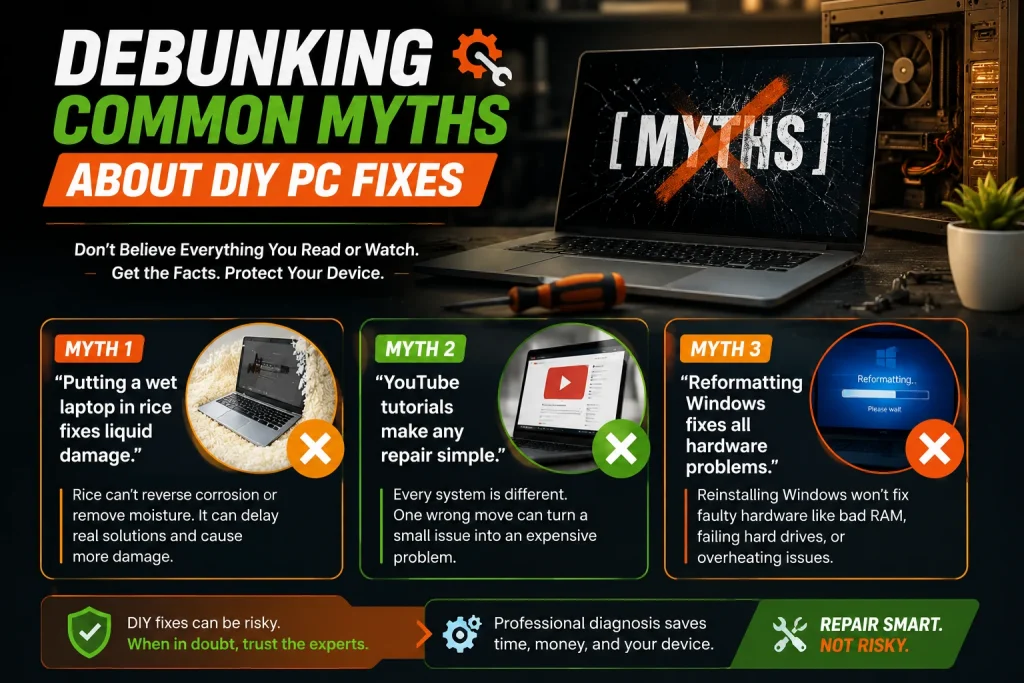
Debunking Common Myths About DIY PC Fixes
Myth 1: “Putting a wet laptop in rice fixes liquid damage.”
Reality: Rice traps moisture inside, creates starchy dust buildup, and accelerates trace oxidation. Professional liquid damage repair requires prompt battery disconnection and isopropyl/ultrasonic cleaning.
Myth 2: “YouTube tutorials make any repair simple.”
Reality: Video editors cut out structural mistakes, hidden ribbon cable snaps, and specialized step nuances. A 10-minute video rarely reveals the precision required.
Myth 3: “Reformatting Windows fixes all hardware problems.”
Reality: Reinstalling your operating system will not fix bad hard drive sectors, failing RAM modules, or faulty power supply units.
Essential File Protection Steps Before Any Repair
Whether attempting a simple fix or taking your computer to local repair technicians, always safeguard your data first:
- Cloud Backup: Sync vital documents to OneDrive, Google Drive, or iCloud.
- External Drive Mirror: Create an image backup using an external SSD.
- Log Out of Sensitive Accounts: Remove saved passwords from browsers if dropping off a device for deep system testing.
How to Choose a Trustworthy Houston Computer Repair Shop
When searching for a reliable computer repair shop, look for these key indicators:
- Transparent Pricing: Clear upfront diagnostic estimates without hidden fees.
- Local Physical Presence: Verified shop locations in Houston, TX with accessible customer service.
- Extensive Brand Support: Expertise spanning Dell, HP, Lenovo, Asus, custom gaming rigs, and Apple MacBooks.
- Positive Local Reviews: Proven track records from local small business owners, students, and families.
Final Verdict & Next Steps
Doing it yourself is a rewarding hobby for simple software tweaks or straightforward desktop upgrades. But when your data, daily livelihood, or expensive gaming rig is on the line, the safest path is leaving the job to seasoned professionals.
If your computer is acting up, don’t risk permanent hardware damage or lost files. Contact the certified team at We Fix PC Laptop for fast, reliable, and professional computer repair in Houston, TX today.
Frequently Asked Questions
Is DIY computer repair safe?
DIY computer repair is safe for basic tasks like cleaning out dust, swapping external peripherals, or upgrading desktop RAM if you follow proper safety steps. However, opening laptops, replacing broken screens, or attempting motherboard solder work carries a high risk of static shock, component damage, and data loss.
Can DIY repairs void my warranty?
Yes. Opening sealed laptop casings, breaking manufacturer tamper-proof stickers, or using non-certified replacement components will void standard manufacturer warranties from brands like Apple, Dell, HP, and Lenovo.
Can I recover deleted files myself?
Basic file recovery software can sometimes restore recently emptied recycle bin files if the drive hasn’t been written over. However, if your hard drive is clicking, making grinding sounds, or experiencing physical sector failure, running DIY software can permanently destroy the magnetic platters. Professional data recovery requires cleanroom environments and raw drive cloning tools.
Is opening a laptop risky?
Yes. Laptops use high-density layouts, delicate plastic clips, microscopic ribbon connectors, and internal lithium-ion batteries that pose thermal fire hazards if punctured. A single slip of a screwdriver can sever trace lines on the motherboard.
Should I replace my own hard drive?
Replacing an unencrypted 2.5-inch drive or NVMe SSD in an accessible desktop slot is relatively simple. However, transferring your operating system, migrating licenses, and re-establishing data partitions without losing files often requires specialized cloning software and technical know-how.
When should I call a professional?
You should consult a certified computer technician if your PC fails to power on, exhibits blue screen errors, makes clicking drive noises, suffers liquid spills, requires screen or charging port replacement, or holds unbacked-up critical data.
Can professionals protect my personal data?
Reputable, established computer repair shops enforce strict privacy policies and data protection protocols. Certified technicians utilize hardware-level diagnostics that test system components without accessing or compromising your private personal files.
Is professional repair worth the cost?
Yes. Professional repair prevents accidental collateral damage, ensures genuine replacement parts, saves hours of frustrating troubleshooting, and guarantees your device is restored safely with labor warranties.
What repairs are safe to do yourself?
Safe DIY tasks include dusting out cooling vents with compressed air, replacing external desktop cables, updating software and drivers, running malware scans, and installing plug-and-play USB devices.
How do I find trusted computer repair near me?
Look for local Houston computer repair shops with physical locations, certified technicians, transparent diagnostic policies, clear customer reviews, and comprehensive repair capabilities ranging from hardware fixes to advanced data recovery.