.svg)
.svg)
.svg)




Why Your Computer Keeps Freezing: Explore Technical Causes and Professional Repair Solutions
Dealing with constant computer freezes? Such things can be more than just an inconvenience. There can be an underlying hardware, software, or operating system issue. And, these hidden issues can slowly start affecting the system performance, productivity and data integrity. If you are experiencing freezes while starting up your computer, running applications or dealing with heavy workloads, it is necessary to identify the root cause to prevent recurring problems and enjoy a smooth performance.
Before you start looking for a reliable computer repair service provider in Houston, Texas, you must understand the technical reasons behind system freezes to determine when professional assistance is necessary and when you can handle the problem yourself.
What Are Computer Freezes (What Does It Actually Mean)?
A computer usually starts freezing when the operating system is unable to process commands or respond to user input. Unlike a simple slowdown, when a freeze occurs, it often indicates that a critical system resource, hardware component, or software process is not working properly.
Based on the cause, the system can
- Stop responding completely
- Display a spinning cursor indefinitely
- Lock up during boot
- Freeze while opening specific applications
- Require a forced restart to recover
It is necessary to remember that multiple factors can lead to similar symptoms. So, an accurate diagnosis is crucial to get a deeper understanding of the root cause.
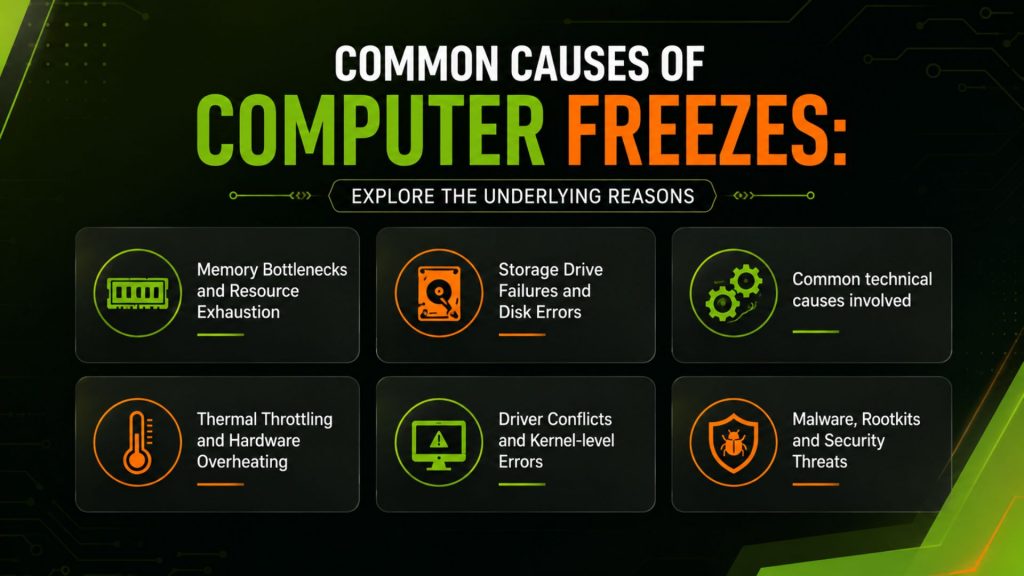
Common Causes of Computer Freezes: Explore the Underlying Reasons
Memory Bottlenecks and Resource Exhaustion
One of the common reasons behind a slow and frequently freezing computer is insufficient available memory. When the physical RAM is fully used, the operating system can start using virtual memory stored on the drive. If the memory requirement exceeds the available resources, the system can start experiencing serious performance degradation or become unresponsive.
The signs of memory exhaustion-
- Consistently high RAM utilization
- Excessive paging activity
- Applications becoming non-responsive
- High CPU usage from memory management processes
Storage Drive Failures and Disk Errors
A storage drive is an important factor for system stability. When the hard drives of your system are failing, or the solid-state drives are degraded, they cause delayed read and write operations, leading to freezing.
Common technical causes involved
Bad Sectors
Bad sectors make it difficult for the operating system to access the necessary system files efficiently. When critical data becomes inaccessible, freezes and crashes can be frequent.
SSD Wear Degradation
SSDs do not have any moving parts. However, flash memory cells have limited write cycles. So, excessive wear can impact the performance and reliability over time.
File System Corruption
File system structures can be affected by unexpected shutdowns, power failures and malware infections, resulting in instability of the operating system.
With the help of professional computer repair specialists in Houston, Texas, you can access services like storage health analysis, SMART diagnostics, and file system integrity checks and address the underlying issues as soon as possible.
Thermal Throttling and Hardware Overheating
Today, computer processors and graphics cards come with thermal protection mechanisms that can prevent permanent damage. When temperatures go beyond the safe permanent limits, your system can-
- Reduce processor clock speeds
- Suspend active processes
- Freeze unexpectedly
- Shut down automatically
The most common causes for system overheating:
- Dust accumulation in cooling systems
- Failed cooling fans
- Dried thermal paste
- Restricted airflow within the chassis
Through detailed thermal diagnostics, computer repairing experts can determine whether overheating is the cause of the frequent freezes.
Driver Conflicts and Kernel-level Errors
Device drivers offer a communication layer between hardware and the operating system. Corrupt, outdated, or incompatible drivers can develop system instability at the kernel level. Example involves-
- Graphics driver conflicts
- Network adapter driver failures
- Peripheral device incompatibilities
- Improper driver updates
These problems can lead to system hangs that can occur randomly and trigger hardware interactions.
Malware, Rootkits and Security Threats
Malware infections can have a strong impact on the operating system’s stability. Unlike traditional viruses, modern threats may-
- Consume system resources in the background
- Modify system files
- Interfere with kernel processes
- Establish unauthorized network activity
In serious cases, malware can lead to system freezes, application crashes and persistent system instability. So, a comprehensive malware detection and removal should be a significant part of a professional computer repair solution.
System Freezing? Learn How We Fix PC Laptop Can Help
Well, before you determine the cause of your system freezing, you have to understand that multiple factors can lead to identical symptoms. So, it is important to have professional technicians to check your computer thoroughly, give you a proper diagnosis report and suggest the best solution.
At We Fix PC Laptop, we deliver a well-structured computer diagnostic process and comprehensive repair services to ensure a complete solution for your system. Our professionally trained technicians perform both hardware and software diagnostics to understand the root of the problem and isolate the source. With extensive expertise and years of experience in computer and laptop repairing, we can assess-
- Memory performance and stability
- Storage device health
- CPU and GPU temperatures
- Operating system integrity
- Malware infections
- Driver compatibility issues
- Network-related conflicts
Whether it is performance issues, repetitive freezes or malware problems, professional diagnostics and repairs can identify the cause faster, reduce downtime and prevent future breakdowns of your system.
Wrapping Up
There can be one or multiple reasons for computer issues, including memory exhaustion, storage failures, overheating, malware infections or operating system failure. Even though the symptoms are identical, the underlying reasons may not be clear without detailed technical analysis.
If your computer freezes again and again or becomes unresponsive, it is smart to connect with a local computer repair technician near your location in Houston to get the most effective solutions at competitive prices. Reach out to our computer repair experts for thorough diagnostics, comprehensive repair services and long-term solutions to restore the stability and utmost performance of your computer.
Frequently Asked Questions
Your computer can freeze frequently if there are underlying problems like malware infections, memory exhaustion or storage shortage. It is best to consult with a computer repair technician if you notice your computer freezes multiple times to avoid your operating system from stopping responding completely.
Yes, continuous exposure to excessive temperature can shorten the lifespans of different components of your system, including CPUs, GPUs, storage devices and the motherboard. So, it is necessary to address these problems faster to avoid the aftermath.
When a computer freezes, it is necessary to determine the root of the problem to resolve the issue effectively and get your system back in top condition. Through hardware stress testing, memory analysis, drive health checks, malware scans, event log reviews, and driver evaluations, professional technicians can help you understand whether the problem is related to hardware or software.
- Buttons Not Working? Quick Fixes and When to Book Service
- Where Can I Get My Computer or Laptop Fixed Near Me? A Complete Guide to Finding the Right Repair Service
- Houston Small Business Computer Repair: 2026 Guide
- Computer Repair Near Me vs. DIY Repairs: Which One Is Safer for Your Data and Hardware?
- CPU Repair Guide 2026: Can a Damaged Processor Actually Be Fixed?
- Computer Repair Houston: 10 Signs Your PC Needs Professional Repair Before It Fails Completely
- Depot Repair vs. On-Site Repair: How to Best Repair Any Computer in 2026