.svg)
.svg)
.svg)




Where Can I Get My Computer or Laptop Fixed Near Me? A Complete Guide to Finding the Right Repair Service
Finding a trustworthy computer or laptop repair service necessitates assessing a number of important operational aspects, such as the particular hardware or software failure mechanism, device brand, repair urgency, data protection policies, and expert certifications. The best places to get reliable repair services in your area usually fall into one of three categories: manufacturer-approved service centers, specialist in-house depot repair facilities, or independent local repair centers. Selecting the appropriate solution guaranties the safe, transparent, and economical execution of hardware diagnostics, component replacements, operating system restorations, and data recovery processes.
Quick Answer: Where Should You Get Your Computer or Laptop Fixed?
For out-of-warranty hardware issues, screen damage, liquid spills, virus eradication, and bespoke desktop builds, local independent repair shops and specialist in-house depot repair facilities are the best options for prompt and reliable computer or laptop repairs. They provide direct technical communication, quicker return times, and an emphasis on protecting your personal information. An authorized manufacturer service center can be better if your gadget is protected by a specific brand protection plan or a valid manufacturer warranty. Give preference to repair facilities with qualified professionals, clear data security procedures, and open diagnostic processes.
Where Can I Repair My Computer Near Me?
Proximity is just one factor to consider while looking for a place to mend computer systems or assessing personal computer repair near me. Technical proficiency across desktop platforms, comprehensive diagnostics, price transparency, and repair capabilities must all be taken into consideration in an efficient review. To precisely pinpoint faults, desktop systems, from typical office workstations to powerful gaming rigs, need specialized bench equipment, power supply tests, and diagnostic software.
Identifying where to find reliable computer repair near you involves evaluating how a shop handles system diagnostics. Professional repair shops use methodical troubleshooting instead of trial-and-error component shifting when a desktop has hardware problems or software corruption. To identify the underlying cause of crashes or power failures, technicians evaluate individual power supply rails, examine motherboard capacitors, examine storage drive health metrics, and do memory stress tests.
| Selection Criteria | Local Independent Repair Center | Manufacturer Service Center |
| Typical Turnaround | 24 to 72 hours | 1 to 3 weeks |
| Diagnostic Process | Multi-point bench evaluation | Standard intake baseline |
| Data Retention | Prioritizes user file preservation | Frequently mandates full drive wipes |
| Component Flexibility | OEM, high-grade aftermarket, & upgrades | Restrictive OEM direct swaps only |
| Custom & Gaming Rigs | Supported with custom cooling & tuning | Generally unsupported |
Where Can I Get My Laptop Fixed?
It is necessary to assess capabilities unique to small, highly integrated hardware while looking for laptop repair or repair services in my area. Laptops integrate the motherboard, display controllers, power distribution, and battery systems into small chassis enclosures, in contrast to modular desktop towers. As a result, laptop repair need for certain precision instruments, knowledge of micro-soldering, and careful heat control techniques.
Fractured display assemblies, worn-out lithium-ion batteries, broken DC power ports, liquid exposure, and malfunctioning keyboard decks are common laptop problems. Make sure the facility has the technical capability to remove delicate enclosures without causing damage to internal ribbon cables or surface-mount board components while looking for the best computer repair service in your area. To restore complete factory functionality, technicians must also confirm that new display panels exactly match the original resolution, refresh rate, and connection pin layouts.
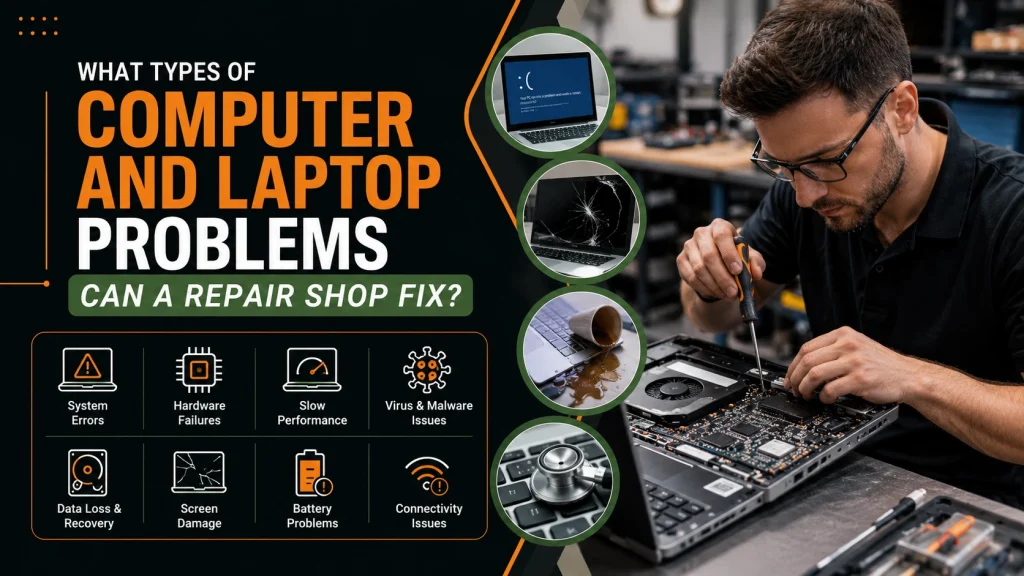
What Types of Computer and Laptop Problems Can a Repair Shop Fix?
Expert computer repair shops deal with a variety of firmware corruptions, software conflicts, and hardware deterioration modes. Device owners can identify when professional assistance is required by being aware of standard service capabilities.
Slow Computers and Performance Degradation
Thermal throttling, deteriorating mechanical hard drives, background resource congestion, and inadequate RAM capacity are common causes of system slowness. Repair experts use performance profiling to identify bottlenecks, swap out outmoded magnetic storage with high-speed solid-state drives (SSDs), or increase system memory to achieve multi-fold performance gains.
Startup and Boot Failures
Usually, damaged boot sector data, broken system registries, or physical storage drive deterioration are the cause of a computer that turns on but does not load the operating system. To reconstruct boot settings or clone data to healthy replacement media, technicians use offline repair environments.
Windows and Operating System Software Issues
Operating system updates can occasionally fail, leaving devices stuck in reboot loops or experiencing severe application crashes. Repair specialists restore system stability through operating system repairs, driver stack cleanups, or clean OS re-installations while maintaining user file structures.
Virus, Spyware, Adware, and Ransomware Removal
Malicious code can compromise personal data, inject intrusive pop-ups, or encrypt essential file directories. Comprehensive malware remediation involves isolating the infected system, stripping persistent bootkit or rootkit strains, removing spyware and adware, and applying security patches to eliminate underlying Weakness.
Laptop Screen and Display Issues
Physical impact frequently results in cracked LCD panels, leaking liquid crystals, or distorted backlight arrays. Repair facilities replace damaged display assemblies across various laptop designs, ensuring correct display interface connections and frame alignment.
Broken Charging Ports and DC Jacks
Repeated cable strain or physical drops can fracture internal charging port pins or break surface-mount solder joints on the motherboard. Technicians perform micro-soldering to replace damaged DC jacks, restoring stable power delivery and battery charging capabilities.
Battery Problems and Degradation
Lithium-ion batteries lose charge capacity over time and can expand, threatening structural damage to internal chassis components. Repair centers safely remove degraded batteries and replace them with verified cells while checking power consumption rates.
Overheating and Thermal Throttling
Accumulated dust, failing cooling fans, and dried thermal paste cause central processing units (CPUs) and graphics processing units (GPUs) to overheat and throttle performance. Servicing includes dust extraction, fan replacement, and high-grade thermal compound re-application.
Hard Drive and SSD Problems
Failing storage drives exhibit read/write errors, sluggish file transfers, or clicking noises. Technicians perform SMART health assessments, replacing failing drives before complete physical breakdown occurs.
RAM and Hardware Upgrades
Modern software demands substantial memory and processing headroom. Technical facilities evaluate motherboard compatibility to install higher-capacity RAM modules, dedicated graphics cards, and upgraded power supply units tailored to specialized workloads or gaming.
Data Recovery Services
Accidental file deletion, partition table corruption, or severe drive logic board failure can render critical documents inaccessible. Utilizing professional computer and laptop repair services allows users to leverage specialized recovery protocols to extract lost data from logical failures or degraded media.
Wi-Fi and Network Connectivity Issues
Intermittent connectivity, missing network adapters, or driver stack failures severely disrupt productivity. Repair shops diagnose wireless network cards, antenna wiring, and operating system network stacks to restore continuous network access.
Keyboard and Touchpad Problems
Liquid spills or physical wear can render individual keys or trackpads unresponsive. Technicians replace damaged keyboard decks and recalibrate precision touchpad controllers.
How to Choose the Right Computer Repair Service Near You
Selecting a trustworthy repair facility requires evaluating specific operational criteria. Device owners can consult guidance on how to find a reliable local computer repair service to assess service providers against key performance indicators:
- Technician Expertise: Verify experience across Windows, Mac, and custom hardware architectures.
- Diagnostic Thoroughness: Ensure the shop conducts complete hardware stress testing rather than superficial checks.
- Transparent Pricing: Look for upfront diagnostic policies and itemized labor and parts quotes before work begins.
- Reputation and Reviews: Check customer feedback for consistent praise regarding honesty, communication, and repair durability.
- Warranty Guarantees: Confirm that repairs are backed by a standard parts and labor warranty.
- Data Privacy Protection: Ensure the shop maintains strict customer data confidentiality standards.
- Turnaround Time: Ask about expected turnaround schedules and component availability.
- In-House Handling: Verify whether repairs are performed on-site or shipped out to third-party contractors.
Local Computer Repair Shop vs Manufacturer Service Center
Understanding the operational differences between local repair providers and official manufacturer service centers allows device owners to make an informed choice based on warranty status, cost, and urgency.
Local repair centers excel in personalized service, component-level repair capabilities, direct technician interaction, and rapid turnaround times. These facilities focus on preserving existing user storage configurations and personal files whenever possible, saving clients from losing software licenses or critical personal documents.
Manufacturer service centers operate under standardized corporate protocols. Out-of-warranty repairs at factory facilities often involve replacing complete motherboard assemblies rather than replacing individual faulty chips, leading to higher repair bills. Additionally, factory workflows frequently require wiping storage drives back to factory default states, making third-party repair centers the preferred alternative when data preservation is essential.
Should You Repair Your Computer or Replace It?
Determining whether to repair an existing system or purchase replacement hardware depends on total repair expenditure, device age, and underlying performance potential.
A standard industry guideline is the 50% expenditure rule: if the estimated repair cost remains below half the cost of an equivalent replacement computer, repairing the device is usually the most economical option. Computers under four to five years old benefit significantly from targeted hardware repairs or storage upgrades. Conversely, systems over six or seven years old with obsolete processor architectures may encounter performance bottlenecks even after repair, making replacement more practical unless servicing is limited to minor software maintenance. Combining a necessary repair with a memory expansion or solid-state drive upgrade can extend a device’s useful service life by several years at a fraction of the cost of new hardware.
What Should You Ask Before Leaving Your Computer With a Repair Technician?
To ensure transparency and protect your equipment, ask these essential questions before authorizing repair work:
- What is the complete diagnostic procedure and fee structure? Clarify whether diagnostic fees are applied toward the total repair cost upon approval.
- How is personal data safeguarded during service? Ensure technicians do not perform destructive operating system reinstalls without backing up user files.
- Are replacement parts OEM-grade or high-quality certified components? Verify component specs and quality standards prior to installation.
- What explicit warranty covers the completed repair work? Confirm the duration and coverage terms for both labor and replacement parts.
- Is the work performed in-house or sent to an external depot? Ensure the facility performs repairs on-site for faster service and better quality control.
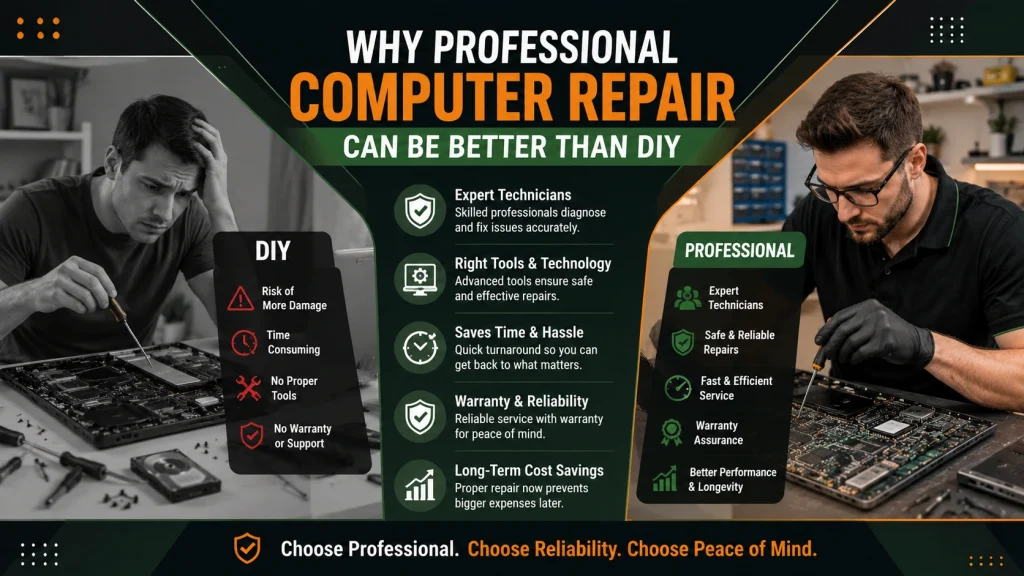
Why Professional Computer Repair Can Be Better Than DIY
Attempting do-it-yourself (DIY) hardware repairs without specialized tools or technical training introduces significant operational risks. Modern computing hardware incorporates miniature surface-mount devices, fragile ribbon cables, and sensitive microchips vulnerable to Electrostatic Discharge (ESD).
Understanding when to look for professional computer repair near you helps prevent accidental damage caused by DIY attempts. Common DIY mistakes include applying incorrect thermal paste volume, stripping internal fasteners, cracking glass display panels during separation, and triggering unrecoverable partition loss during manual software commands. Relying on professional computer repair technicians ensures that anti-static precautions, precision torque tools, calibrated thermal compounds, and dedicated offline backup tools are properly utilized.
What Makes a Computer Repair Service Trustworthy?
Trustworthiness in the computer repair industry is built on technical competence, transparent business practices, and consistent customer satisfaction. Dependable repair providers display clear credentials, maintain structured intake procedures, provide itemized written estimates before starting work, and maintain clear communications throughout the repair lifecycle. Furthermore, established repair centers invest in proper bench tooling, maintain ESD-safe work areas, and offer clear warranty terms on all completed work.
Computer and Laptop Repair Services from WeFix PC Laptop
For device owners seeking expert technical support, WeFix PC Laptop delivers comprehensive hardware and software solutions backed by extensive field experience. Operating from a dedicated service facility in Houston, Texas, the team services all major computing platforms, including Microsoft Windows PCs, Apple MacBooks, iMacs, and custom gaming rigs.
Clients benefit from specialized service offerings designed to resolve a full spectrum of computer issues:
- Computer Repair Services: Comprehensive diagnostic profiling, virus and malware removal, operating system restoration, power supply replacement, network troubleshooting, and hardware performance upgrades.
- Laptop Repair Services: Precision screen replacement, DC charging jack soldering, liquid damage restoration, keyboard deck repair, battery replacement, and thermal fan servicing.
- In-House Depot Repair Services: Multi-point bench diagnostics, component-level troubleshooting, rigorous quality assurance testing, fast repair turnaround, and dedicated data preservation protocols.
By prioritizing direct customer communication and thorough testing, hardware issues are resolved accurately and efficiently.
Frequently Asked Questions
How much does computer or laptop repair usually cost?
Repair costs depend on whether the issue involves software troubleshooting or physical hardware replacement. Basic software maintenance, virus removal, and diagnostic assessments generally cost less than complex motherboard repairs or custom screen replacements. Reputable repair shops provide clear, itemized estimates following an initial diagnostic evaluation.
How long does a typical laptop or computer repair take?
Standard software cleanup, malware removal, and modular hardware upgrades (such as RAM or SSD installations) are typically completed within 24 to 48 hours. Advanced motherboard soldering, specialized part sourcing, or extensive data recovery may require 3 to 5 business days.
Can a repair shop fix a laptop that will not turn on at all?
Yes, technicians diagnose power issues using specialized multimeters and circuit schematics to trace power flow across the motherboard. Total power failure is frequently resolved by replacing damaged charging ports, faulty power ICs, or internal power supply components.
Will personal files and data be safe during the repair process?
Reputable repair facilities prioritize data preservation and do not alter user files during standard hardware repairs. For operating system restorations or storage drive replacements, technicians create full data backups prior to executing software modifications.
Is it worth replacing a cracked laptop screen?
Replacing a cracked display panel is highly cost-effective if the laptop’s processor, memory, and internal components are functioning properly. Screen replacement costs a fraction of buying a new comparable laptop, extending the device’s operational lifespan.
What should be done before bringing a device in for repair?
When possible, back up personal files to cloud storage or an external drive, record login passwords or create a temporary guest account, and bring the device’s original power cable or charging adapter to the repair shop.
Can custom gaming PCs be repaired at local computer shops?
Yes, specialized local repair shops handle custom desktop builds, diagnosing liquid cooling loops, GPU stability issues, power supply failures, and thermal throttling problems. Technicians can also perform hardware upgrades and cable management to optimize gaming performance.
How can a user tell if a hard drive is failing?
Indications of hard drive failure include extremely slow file transfer speeds, frequent operating system crashes, missing files, or clicking noises coming from the system drive. Immediate technical diagnosis is recommended to recover critical data before complete drive failure occurs.
If you need fast, reliable technical assistance for your desktop, laptop, or custom PC system, explore the specialized options available on the WeFix PC Laptop Computer Repair Services page or consult the Laptop Repair Services section to schedule a comprehensive diagnostic evaluation today.
- Computer Repair Near Me: What Services Should You Expect From a Professional Repair Shop?
- How to Protect Personal Data Before Sending a PC for Repair
- How to Find a Reliable Local Computer Repair Shop
- Why Your Computer Keeps Freezing: Explore Technical Causes and Professional Repair Solutions
- Why Your Computer Won’t Start: Common Boot Errors Explained
- How to Choose a Reliable MacBook Repair Service Near You in Houston
- Best Computer Repair in Houston: What to Look For