.svg)
.svg)
.svg)




Why Your Computer Won’t Start: Common Boot Errors Explained
Few things are more frustrating than hitting the power button and finding your computer just won’t turn on. Whether you need it for work, school, or gaming, a PC that refuses to boot creates instant stress. You start worrying about your files, your expensive hardware, and how much work you’re going to lose.
At We Fix PC Laptop, we see these problems every day. Many people searching for “pc repair near me” or “computer repair near me” are dealing with startup issues that seem overwhelming at first. While it is easy to panic, many boot problems happen because of simple software glitches or components that have worn out over time. Learning what the error messages mean is the first step toward getting your system back up and running.
What Do Common Boot Errors Mean?
When your computer acts up, it usually tries to tell you what is wrong with an error message on the screen. Here are the most common things we see at our shop:
- “No Boot Device Found”: This means the computer cannot find the drive where Windows is stored. It might just be a loose cable, or it could mean your hard drive or SSD is failing.
- “BOOTMGR is Missing”: This usually happens if a Windows update was interrupted or if some important system files got damaged.
- Blue Screen of Death (BSOD): If you see a blue screen when starting up, it often means there is a problem with a driver, the memory (RAM), or a major Windows file.
- Stuck in a Boot Loop: This is when the computer logo appears, the system tries to start, and then it just restarts over and over. This is very common after a failed Windows update.
Why Won’t My Computer Boot?
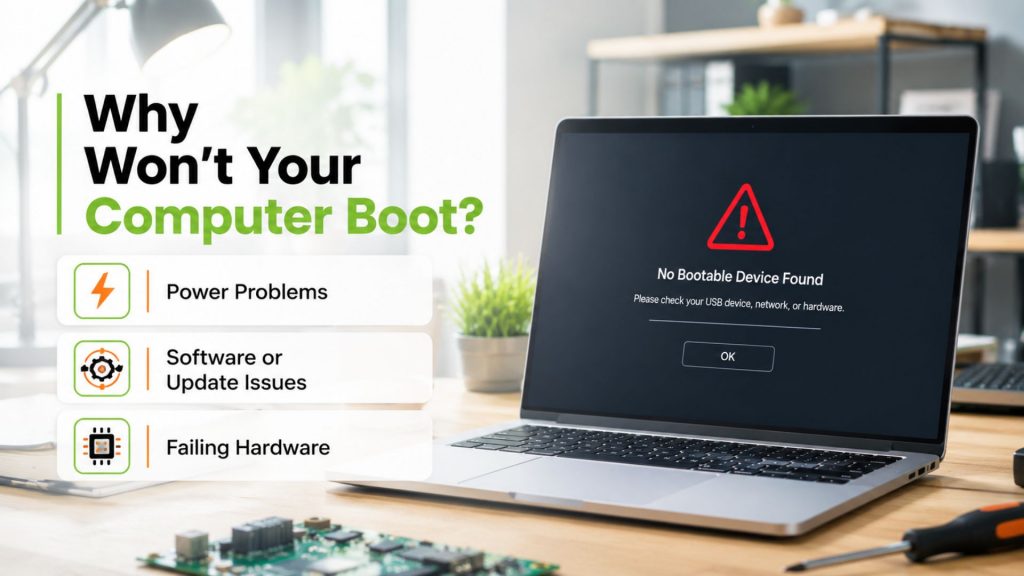
Before you try to fix it, it helps to know what might be causing the problem. Most issues fall into three groups:
1. Power Problems
If you press the button and get absolutely no lights or sounds, or if the fans spin but the screen stays black, it could be a power supply issue or a problem with your RAM.
2. Software or Update Issues
Did your computer crash right in the middle of a Windows update? This is a very common cause for boot loops. The system is essentially “stuck” trying to finish an update it can no longer complete on its own.
3. Failing Hardware
Computers rely on SSDs or hard drives to store your data. If your drive is starting to break, the computer might struggle to read your files. You might have noticed the PC acting slow or freezing up right before it finally stopped booting altogether.
When Should You Call a Pro?
Some computer problems can be fixed at home, but others need professional tools. You should reach out to a shop if:
Some computer problems can be fixed at home, but others need professional tools. You should reach out to a shop if:
You are worried about your data: If your hard drive is dying, turning the computer on and off repeatedly can make the data impossible to get back. Trusted data recovery experts in Houston have special tools to save your files safely.
It’s a hardware issue: Replacing a motherboard or fixing internal parts is difficult and requires the right tools. If you’ve been looking for a reliable pc fix nearby, professional technicians can identify the root cause and prevent further damage to your device.
You need it fixed fast: If you have a business or a deadline, you don’t have time to guess what is wrong. Working with experienced technicians can save valuable time and help avoid unnecessary replacement costs.
Professional help is usually cheaper and faster than replacing your whole computer. Most hardware issues get worse over time, so fixing them early is the best way to save your data and your money.
Read our other blogs:
Computer Repair Services in Houston | Fast & Reliable Repairs
Laptop Not Working? Houston Repair Experts
Low FPS in Games? Reliable Gaming PC Repair Near You
Let Us Help You Today
A broken computer doesn’t have to be a disaster. Whether you are dealing with a blue screen or a machine that just won’t wake up, we are here to help.
Need expert help? Contact We Fix PC Laptop today for professional computer repair near you in Houston. Our experienced technicians will identify the issue, explain your options, and get your computer back to working condition as quickly as possible.
Frequently Asked Questions
Usually, yes. Even if the computer is broken, we can often pull your files off the drive before the hardware fails completely.
It depends on if the problem is a software glitch or a broken part. We always tell you the price before we start, so there are no surprises.
At We Fix PC Laptop, we know you need your machine back quickly. Simple software problems can often be fixed within 24 hours. Hardware repairs take a little longer depending on parts.
If your computer is still fairly modern, it is almost always cheaper to repair it than to buy a brand-new machine.
- Buttons Not Working? Quick Fixes and When to Book Service
- Where Can I Get My Computer or Laptop Fixed Near Me? A Complete Guide to Finding the Right Repair Service
- Houston Small Business Computer Repair: 2026 Guide
- Computer Repair Near Me vs. DIY Repairs: Which One Is Safer for Your Data and Hardware?
- Computer Repair Near Me: What Services Should You Expect From a Professional Repair Shop?
- CPU Repair Guide 2026: Can a Damaged Processor Actually Be Fixed?
- Depot Repair vs. On-Site Repair: How to Best Repair Any Computer in 2026