.svg)
.svg)
.svg)




Computer Repair Houston: 10 Signs Your PC Needs Professional Repair Before It Fails Completely
Most computers don’t stop working overnight. They usually show warning signs that something isn’t right. Ignoring these problems can lead to costly repairs, lost files, or even complete system failure. Recognizing these signs early can help you avoid unnecessary downtime and extend the life of your device. If you’re looking for computer repair in Houston, here are ten warning signs that your PC needs professional attention before it’s too late.
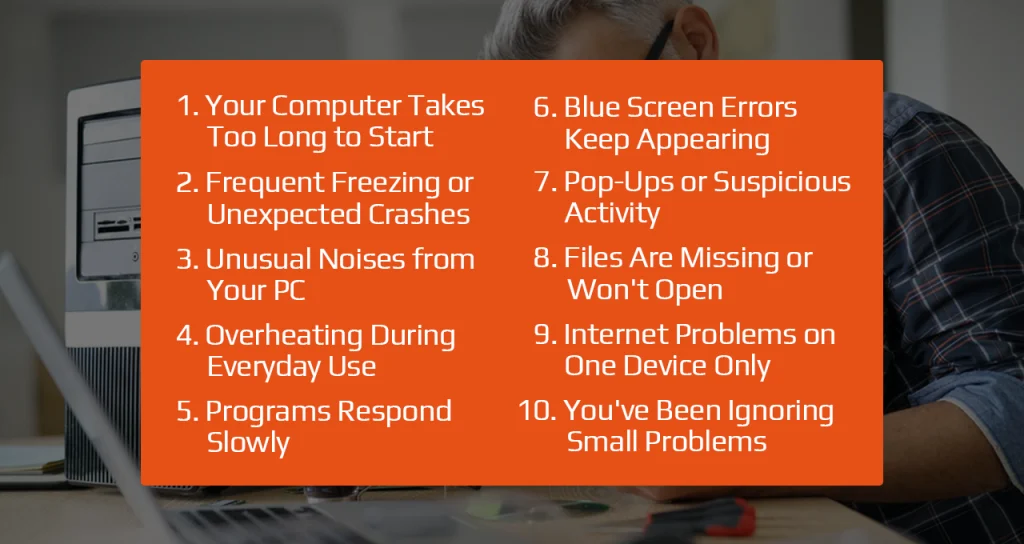
1. Your Computer Takes Too Long to Start
If your computer suddenly takes several minutes to boot, there could be an issue with the hard drive, startup programs, or operating system. A slow startup is often one of the first signs that your PC needs attention.
2. Frequent Freezing or Unexpected Crashes
A computer that regularly freezes or restarts on its own should never be ignored. These problems can be caused by failing hardware, software conflicts, or memory issues that require professional diagnosis.
3. Unusual Noises from Your PC
Clicking, grinding, or loud fan noises often indicate hardware problems. A failing hard drive or damaged cooling fan can quickly lead to more serious damage if left unchecked.
4. Overheating During Everyday Use
If your laptop or desktop becomes unusually hot, dust buildup, blocked airflow, or cooling system issues may be the cause. Excessive heat can reduce your computer’s performance and shorten its lifespan.
5. Programs Respond Slowly
Applications that take a long time to open or frequently stop responding may indicate storage issues, insufficient memory, or malware. Professional computer repairs in Houston can often restore your system’s speed without replacing the device.
6. Blue Screen Errors Keep Appearing
Repeated blue screen errors usually point to deeper hardware or system problems. Whether it’s faulty RAM, storage failure, or corrupted system files, early repairs can prevent complete system failure.
7. Pop-Ups or Suspicious Activity
Unexpected advertisements, browser redirects, or unknown software can be signs of malware. Prompt virus removal helps protect your personal information while improving your computer’s overall performance.
8. Files Are Missing or Won’t Open
If documents suddenly disappear, become corrupted, or fail to save properly, your storage drive could be failing. Seeking computer repair in Houston quickly can improve the chances of protecting your important data.
9. Internet Problems on One Device Only
When every other device connects normally but your computer doesn’t, the problem may lie with your network settings, drivers, or operating system rather than your internet connection.
10. You’ve Been Ignoring Small Problems
Minor issues rarely fix themselves. Strange sounds, slower performance, and occasional crashes often become larger and more expensive repairs when delayed. Addressing problems early is always the smarter choice.
Why Professional Computer Repair Matters
Online tutorials may offer temporary fixes, but they rarely identify the real cause of the problem. An experienced computer repair technician nearby can accurately diagnose hardware and software issues, helping you avoid unnecessary replacements and repeated repairs.
At We Fix PC Laptop, we provide professional diagnostics, virus removal, hardware repairs, software troubleshooting, laptop and desktop repair, and data recovery services. We focus on identifying the source of the problem and delivering reliable solutions that keep your computer running efficiently.
Frequently Asked Questions
1. How do I know if my computer needs professional repair?
Frequent crashes, overheating, slow performance, unusual noises, and file errors are all signs that your computer should be inspected by a professional.
2. Can a slow computer be repaired?
Yes. Many slow computers can be restored through software repairs, hardware upgrades, malware removal, or system optimization.
3. Is repairing a computer better than replacing it?
In many cases, yes. If the issue is limited to specific components or software, repairing your computer is often more cost-effective than buying a new one.
4. How often should I have my computer serviced?
A professional inspection once a year, along with timely repairs when issues arise, can help keep your computer performing at its best.
Keep Small Problems from Becoming Big Repairs with We Fix PC Laptop
Don’t wait until your computer stops working completely. If you’ve noticed any of these warning signs, we’re here to help. Contact We Fix PC Laptop today for dependable diagnostics and expert repair services that keep your PC running smoothly.