.svg)
.svg)
.svg)




Laptop Battery Draining Fast? Causes and Repair Options
Is your laptop battery running out within an hour, forcing you to stay plugged into the charger all day? A rapidly draining battery can interrupt work, online classes, meetings, and entertainment. While many users assume they need a new laptop, the real issue could be a worn-out battery, a faulty charging circuit, overheating, or software-related problems. A professional laptop repair service can quickly identify the root cause and restore your device’s performance without unnecessary expenses. Proper diagnosis is important because battery drain can result from both hardware and software issues.
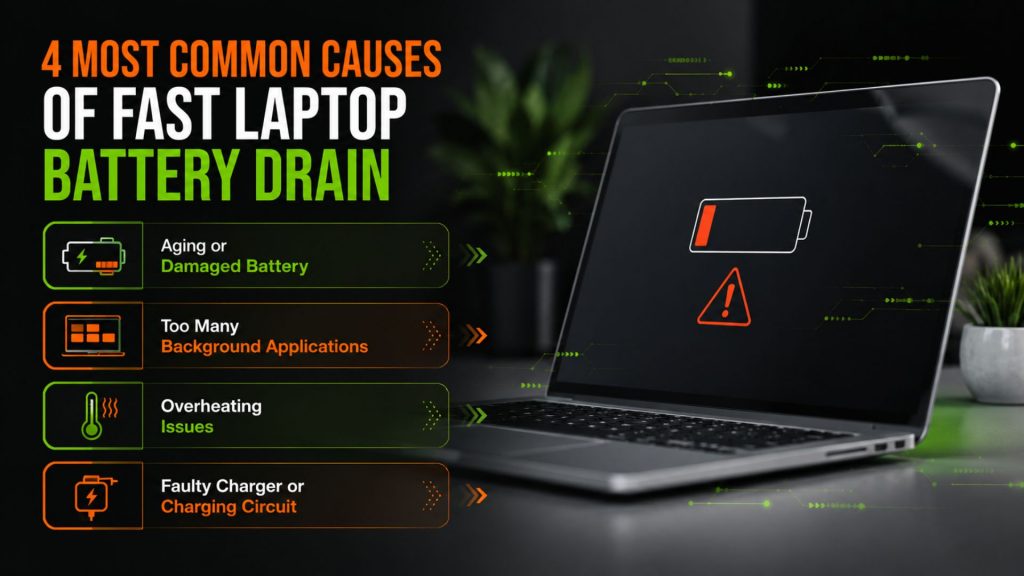
4 Most Common Causes of Fast Laptop Battery Drain
1. Aging or Damaged Battery
Laptop batteries naturally lose their capacity after hundreds of charging cycles. If your battery percentage drops quickly or your laptop shuts down unexpectedly, the battery may need replacement rather than repeated charging.
2. Too Many Background Applications
Running multiple applications, browser tabs, and startup programs consumes more power than you might realize. This increases CPU usage and drains the battery faster.
3. Overheating Issues
Dust-clogged cooling fans, blocked air vents, or dried thermal paste can cause excessive heat. When your laptop overheats, it works harder, leading to increased battery consumption and reduced overall lifespan.
4. Faulty Charger or Charging Circuit
Sometimes the battery isn’t the problem. A damaged charger, charging port, or motherboard charging circuit may prevent the battery from charging properly, making it appear as though the battery is failing.
Can Battery Drain Be Fixed Without Replacing the Battery?
Yes, in many cases. If the issue is caused by software conflicts, overheating, charging port damage, or motherboard faults, an experienced technician can resolve the problem without replacing the battery. However, if the battery health has significantly degraded, replacement is often the most reliable solution after proper diagnostics.
Repair Options That Actually Work
Professional laptop repair services begin with a complete diagnostic to determine the exact cause of battery drain. Depending on the findings, technicians may recommend:
- Battery health testing and replacement
- Charging port repair
- Motherboard or power circuit repair
- Internal fan cleaning and thermal maintenance
- Software optimization and malware removal
- Driver and BIOS updates
Choosing expert laptop repairs instead of guessing the problem can save both time and money while extending your laptop’s lifespan.
Why Choose We Fix PC Laptop?
At We Fix PC Laptop, we understand how frustrating battery problems can be. Our experienced technicians diagnose the actual cause instead of simply replacing parts. We provide reliable solutions for battery replacement, motherboard repairs, charging issues, screen repairs, keyboard replacement, SSD upgrades, RAM upgrades, software troubleshooting, and complete laptop servicing for major brands. Our goal is to deliver fast, transparent, and dependable repair services that help your laptop perform like new again. Our comprehensive repair approach helps ensure long-term reliability instead of temporary fixes.
Whether you’re searching online for laptop computer repair nearby, We Fix PC Laptop is your trusted destination for professional support and quality workmanship. Call our experts today!
Don’t Ignore the Warning Signs
A fast-draining battery is often the first indication of a larger hardware issue. Ignoring it can eventually lead to unexpected shutdowns, overheating, or charging failures. Getting your laptop inspected early can prevent more expensive repairs later and keep your device running efficiently.
FAQs
Common reasons include an aging battery, overheating, excessive background apps, charging issues, or motherboard faults.
If the problem is related to software or charging components, it may be repairable. If the battery cells are worn out, replacement is usually recommended.
If your laptop loses charge rapidly, overheats, won’t charge properly, or shuts down unexpectedly, it’s best to have it diagnosed by a qualified technician before the issue worsens.
- Laptop Repair Near Me: How to Know When Your Laptop Needs Professional Repair
- How to Fix an Overheating Laptop: A Complete Repair Guide
- How to Fix a Water Damaged Laptop: Expert Tips
- Can a Broken Laptop Screen Be Repaired? Everything You Need to Know Before Replacing Your Device
- How to Find the Best Notebook Repair Shop: The 2026 Expert Guide
- Laptop Screen Repair vs. Buying a New Laptop: Which Saves You More Money in 2026?
- The Ultimate Guide to Laptop Repair: Restoring Performance and Data in 2026