.svg)
.svg)
.svg)




Computer Services in Houston: Complete Guide to Computer Repair and IT Support
Whether your laptop won’t turn on, your desktop keeps crashing, or your office internet is acting up, finding a reliable computer repair shop nearby can get you back to work quickly. A professional technician can figure out the problem, explain your options, and get your computer running smoothly again.
What to Look for in a Computer Repair Shop
When choosing a repair service, keep these things in mind:
- Experienced Staff: Look for technicians who know how to fix Windows PCs, Apple Macs, business laptops, and gaming computers.
- Fast Testing: Quick troubleshooting helps find out if the problem is with the parts, the software, or the network.
- Clear Pricing: A trustworthy company will tell you how much the repair will cost before they start working.
- Good Reviews: Check what local customers say online to see if the service is high quality and reliable.
Common Computer Problems We Fix
At We Fix PC Laptop, we regularly help customers with:
- Computers that won’t turn on
- Slow performance and lagging
- Viruses and malware infections
- Cracked or broken laptop screens
- Overheating systems
- Broken hard drives
- Lost files and data recovery
- Wi-Fi and internet connection issues
Good to know: Many of these problems can be fixed without buying a brand-new computer.
Core Repair Services
Fixing and Upgrading Parts
You can often make an older computer feel new again with a few simple upgrades. Popular services include:
- SSD Upgrades: Installing faster storage to speed up your computer.
- RAM Upgrades: Adding extra memory so you can do more things at once.
- Screen Replacements: Swapping out broken or cracked displays.
- Battery Replacements: Putting in a new battery so your laptop stays charged longer.
- Motherboard Testing: Checking the main circuit board for deep technical issues.
Virus Removal and Security
Viruses can slow down your system, steal your private information, and cause constant glitches. Professional virus removal in Houston, TX completely cleans out malware, spyware, and ransomware to make your computer safe and stable again.
Data Recovery
Losing important files is stressful. Professional data recovery in Houston can help save files from:
- Broken hard drives
- Corrupted SSDs
- Water-damaged laptops
- Drives that were formatted by mistake
Note: The chance of getting your files back depends on how badly the drive is damaged.
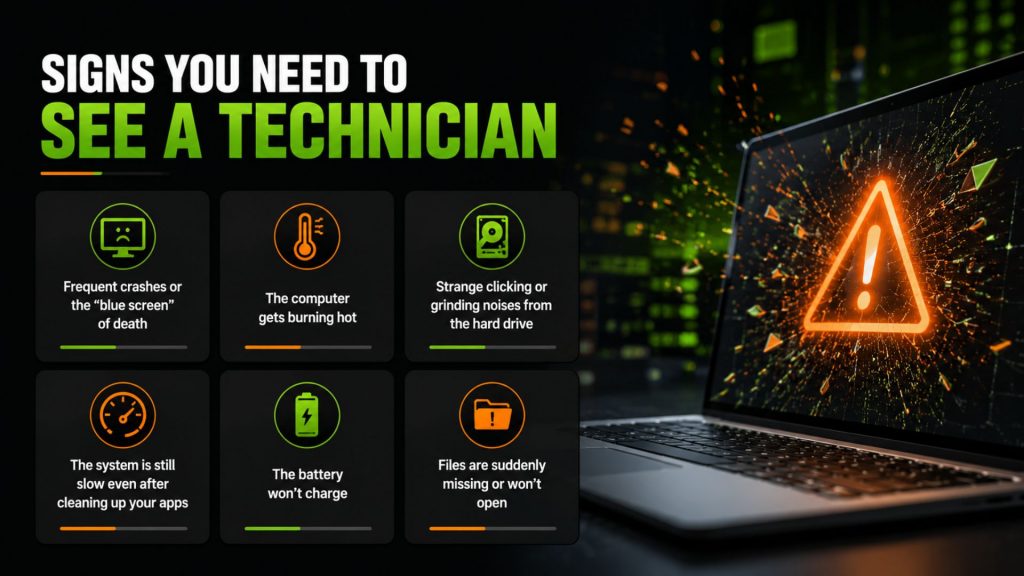
Signs You Need to See a Technician
Bring your computer in if you notice any of these warning signs:
- Frequent crashes or the “blue screen of death”
- The computer gets burning hot
- Strange clicking or grinding noises from the hard drive
- The system is still slow even after cleaning up your apps
- The battery won’t charge
- Files are suddenly missing or won’t open
Fixing these issues early can save you from bigger, more expensive problems later.
A Real Example of a Repair
A customer recently brought in a laptop that completely died after a power outage. We tested it and found that the electrical surge corrupted the SSD (the storage drive). Our team successfully saved all their important files, put in a new SSD, and handed the fully working laptop back to the customer in just two days.
This happens all the time, and it shows how a professional test can save both your computer and your memories.
Business IT Support
Businesses usually need more than just a quick fix now and then. We offer Managed IT services in Houston to keep your business running smoothly with:
- 24/7 network monitoring
- Cloud backups so you never lose data
- Strong cybersecurity protection
- Remote help whenever you need it
- Management of all office devices
This proactive support helps prevent tech issues before they stop your team from working.
Trust Your Local Computer Experts
Whether you need a computer repaired, a virus removed, data recovered in Houston, or ongoing IT support for your business, our experienced team is here to keep your devices fast, safe, and reliable.
Frequently Asked Questions
Most software cleanups and part upgrades take between 24 and 48 hours.
In most cases, yes. Recovery experts have special tools to pull files off damaged drives and dead systems.
A good rule of thumb is that if the repair cost is close to half the price of a new computer, it’s usually better to replace it.
- Depot Repair vs. On-Site Repair: How to Best Repair Any Computer in 2026
- Comprehensive Laptop Screen Repair Guide: 2026 Professional Solutions
- Why Is My Laptop Suddenly Running Slow? 12 Problems a Computer Repair Technician Can Fix
- Dell Laptop Screen Replacement Cost: 2026 Pricing and Repair Guide
- The Ultimate Notebook Screen Repair Checklist: 2026 Expert Guide
- How to Navigate PC Repair in 2026: A Step-by-Step Guide to Saving Your Computer
- How to Protect Personal Data Before Sending a PC for Repair