.svg)
.svg)
.svg)




Laptop Screen Repair vs. Buying a New Laptop: Which Saves You More Money in 2026?
A cracked laptop screen does not automatically mean you need a new computer. In our experience, many customers assume the display is beyond repair when the actual fault is limited to a single component. The challenge is identifying exactly what has failed before spending money on a replacement laptop. That is why laptop screen repair starts with accurate diagnostics, not guesswork.
In 2026, buying a new laptop with advanced features has become more expensive than ever. Understanding whether your device needs a screen replacement, a display cable, or a more extensive hardware repair can save you hundreds of dollars.

A Cracked Screen Is Not Always the Real Problem
If your display is black, flickering, or showing colored lines, the cause could be several different hardware issues. While a cracked LCD panel is easy to spot, other display problems require proper testing to identify the exact cause.
A skilled local technician will typically check:
- Whether the laptop works normally when connected to an external monitor, which helps determine if the problem is with the screen or the graphics hardware.
- The LCD or LED screen for cracks, pressure damage, dead pixels, or display discoloration.
- The eDP or LVDS display cable, which can become loose or worn from opening and closing the laptop over time.
- The screen hinges for signs of damage that may have put extra pressure on the display cable or screen assembly.
- The backlight, display controller, and motherboard to confirm whether the screen is the actual source of the problem.
When Laptop Screen Repair Makes Financial Sense
If the processor, motherboard, storage drive, and memory are all functioning correctly, replacing only the damaged display is usually the most cost-effective option. Professional laptop and computer screen repair is often recommended when:
- The LCD panel is cracked after an accidental drop.
- The display shows vertical lines or ink-like patches caused by panel damage.
- The backlight has failed while the rest of the laptop operates normally.
- The screen flickers because of a worn display cable rather than a faulty motherboard.
- The laptop is still performing well and meets your work, study, or business requirements.
Modern laptops are designed with components that often outlast the display itself. Replacing one damaged part instead of the entire system can extend the life of your laptop and save you hundreds of dollars compared to buying a new device.
When Replacing Your Laptop May Be the Better Choice
Although repairing a laptop is often the more affordable option, it is not always the right solution. In some situations, replacing your device can be the smarter financial decision and help you continue working, studying, or using your laptop without ongoing issues.
You may consider replacing your laptop if it has:
- Extensive liquid damage affecting multiple internal components.
- A failed motherboard combined with display damage.
- An obsolete processor that no longer supports the software you rely on.
- Multiple hardware failures, such as a swollen battery, damaged hinges, and a cracked screen, where the combined repair costs are close to the price of a new laptop.
When you choose a trusted local laptop repair technician, you can expect an honest assessment of your device and practical recommendations instead of repairs that offer little long-term value.
How Professional Diagnostics Can Make a Difference
The quality of a laptop repair service depends on much more than simply replacing a damaged screen. When you visit a local repair shop with experienced technicians, you benefit from a structured diagnostic process. A professional laptop repair involves confirming the correct screen resolution, connector type, mounting points, and compatibility with your laptop model.
Whether you own an HP, Dell, Lenovo, Apple MacBook, or another brand, each manufacturer uses different display assemblies and repair procedures. Installing an incompatible panel can result in brightness issues, poor color accuracy, touch functionality problems, or display instability. That is why professional technicians perform hardware diagnostics before recommending replacement parts.
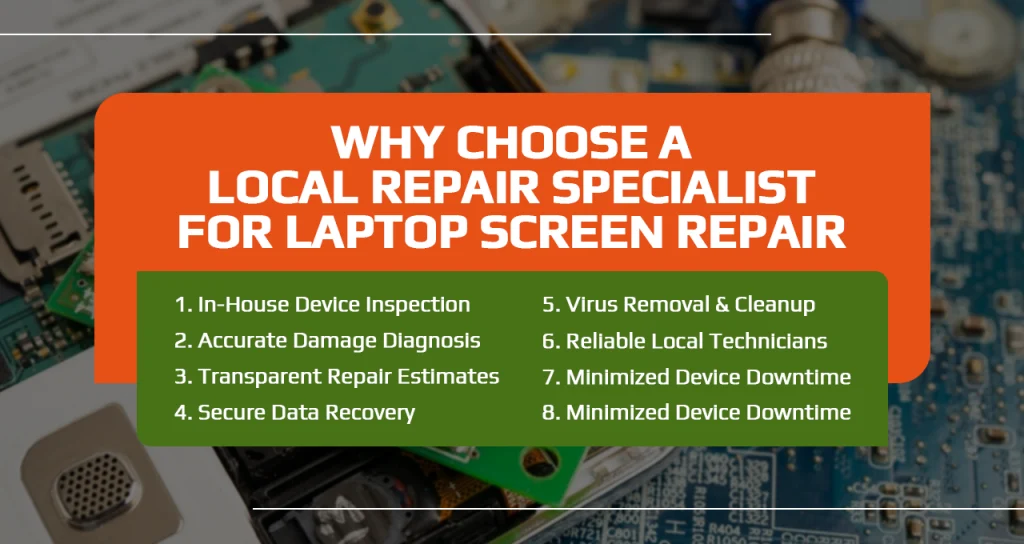
Why Choose a Local Repair Specialist for Laptop Screen Repair
Working with a local technician for laptop screen repair comes with several advantages. At We Fix PC Laptop, our technicians inspect every device in-house before recommending any solution. We physically examine your laptop, identify hidden damage, and explain the condition in detail. Whether your laptop has damage around the hinges, bezel, display cable, or charging components, we provide a clear explanation of the issue along with an accurate repair estimate.
At our shop, we offer a wide range of computer and laptop repair services, including cracked screen replacement, charging port repairs, virus removal, hardware upgrades, and data recovery. Our technicians provide reliable, prompt service to help minimize downtime and get your device back up and running as quickly as possible.
Make a Careful Choice Before Investing
A damaged laptop screen does not always mean you need to invest in a new device. In many cases, laptop screen repair is a much more affordable option that can restore your laptop to full working condition. The most important step is having your device inspected by an experienced technician who can identify the real cause of the problem before recommending a repair or replacement.
If your laptop screen is cracked, flickering, showing lines, or completely black, We Fix PC Laptop is here to help. Our team will thoroughly inspect your device, explain what is causing the issue, and recommend the most practical and cost-effective solution.
Frequently Asked Questions
How do I know if I need a laptop screen repair or a new laptop?
If your laptop still turns on and works when connected to an external monitor, there is a good chance the problem is only with the screen. A technician can inspect the device and let you know whether a screen repair is enough or if replacing the laptop makes more sense.
Can a flickering laptop screen be repaired?
Yes, in many cases it can. A flickering screen may be caused by a loose display cable, a faulty screen, or another hardware issue. A proper inspection will identify the exact cause so the right repair can be carried out.
How long does a laptop computer screen repair take?
Many screen replacements can be completed on the same day, depending on your laptop model and the availability of the replacement screen. If additional repairs are needed, the technician will let you know the expected turnaround time before any work begins.
- The Ultimate Guide to Laptop Repair: Restoring Performance and Data in 2026
- Comprehensive Laptop Screen Repair Guide: 2026 Professional Solutions
- Laptop Repair or Replacement? How to Decide Before Spending Hundreds of Dollars
- Why Is My Laptop Suddenly Running Slow? 12 Problems a Computer Repair Technician Can Fix
- Dell Laptop Screen Replacement Cost: 2026 Pricing and Repair Guide
- The Ultimate Notebook Screen Repair Checklist: 2026 Expert Guide
- How to Navigate PC Repair in 2026: A Step-by-Step Guide to Saving Your Computer