.svg)
.svg)
.svg)




Laptop Repair or Replacement? How to Decide Before Spending Hundreds of Dollars
Before you invest hundreds of dollars, consider the following:
- Is the age of your laptop less than five years?
- Does the repair cost less than half of what the laptop is now worth?
- Can the issue be resolved with a straightforward update (SSD or RAM)?
- Is there only one damaged part (keyboard, battery, or screen)?
- Will fixing it give it an additional two to three years of life?
If you said “yes” to the most of these questions, it’s typically wiser to fix laptop problems rather than replace the whole thing.
Your Laptop Just Failed at the Worst Possible Time
Consider yourself doing a crucial business presentation or turning in a college homework. All of a sudden, your laptop stalls, the screen becomes dark, or an unintentional drop causes the display to fracture. Most likely, your initial thought is:
“Should I repair it, or should I just buy a new one?”
It’s a typical problem. Many believe that if a laptop has a significant issue, it’s time to replace it. That is frequently untrue in practice. For a small portion of the price of purchasing a brand-new laptop, a broken display, weak battery, overheating problem, or poor performance may often be rectified.It’s a typical problem. Many believe that if a laptop has a significant issue, it’s time to replace it. That is frequently untrue in practice. For a small portion of the price of purchasing a brand-new laptop, a broken display, weak battery, overheating problem, or poor performance may often be rectified.
You may save hundreds of dollars by knowing when to replace your laptop and when to fix its issues. The first step to making a wise investment rather than an impulsive buy is to comprehend the true cause of the problem.
This guide will teach you:
- Which laptop issues are worth fixing?
- When a replacement proves to be a more cost-effective choice
- Average cost of repairs
- Do-it-yourself versus expert fixes
- A straightforward strategy for making decisions that will give you confidence
This article will help you make the best choice whether you’re a professional, student, gamer, or company owner.
When to Repair Your Laptop
Many laptop issues seem serious but are surprisingly affordable to fix. Modern laptops are modular enough that replacing one damaged component is often much cheaper than purchasing a completely new device.
1. Damage to the laptop screen
Accidental drops are among the most frequent causes for laptop screen repair.
Typical issues consist of:
- A broken screen
- Display flickering
- Dead pixels
- A black screen
- Display is impacted by broken hinges
- Average Price
Average Cost
| Repair | Typical Cost |
| Screen replacement | $100–$350 |
| Hinge repair | $80–$200 |
Repairing your laptop’s screen is nearly always useful, unless it’s really old.
2. Battery Issues
After a few years, laptop batteries inevitably deteriorate.
Typical indicators consist of:
- The battery runs out rapidly.
- Only when connected in does the laptop function.
- Unexpected shutdowns
- Swelling of batteries
Average Price: $50–$180
Because it restores mobility without having to replace the complete system, changing a battery is typically one of the most expensive fixes.
3. Keyboard Problems
Worn keys, liquid spills, or internal damage can result in:
- Lack of keys
- Adhesive keys
- Typing at random
- Complete keyboard malfunction
Cost of Repair: $60–$180
The majority of keyboards may be changed without having to replace the laptop as a whole.
4. Poor Performance
It’s not always the case that a sluggish laptop is dying.
Typical reasons include of:
- An outdated hard disk
- Low RAM
- Programs for startups
- Malware
- Almost full storage
An outdated laptop may seem practically new with a few simple tweaks.
SSD Upgrade
When an SSD is used in place of a conventional hard drive, it frequently improves:
- Boot speed
- Loading the app
- File transfers
- In general, response
Average Price: $80–$250
RAM Improvement
Modern apps and multitasking benefit from more memory.
Average Price: $40–$180
These upgrades are among the most cost-effective ways to repair laptop performance issues.
5. Heating up too much
A quiet laptop killer is dust accumulation within cooling fans.
Among the symptoms are:
- loud noise from the fan
- Unplanned shutdowns
- A hot keyboard
- Inadequate performance
Typically, professional cleaning consists of:
- Cleaning fans
- Internal dust elimination
- Replacement of thermal paste
Average Price: $60–$150
The longevity of your laptop may be greatly increased with routine maintenance.
6. Issues with Software
Hardware is not always the cause of problems.
Examples consist of:
- Windows crashes
- Infections with viruses
- Conflicts between drivers
- Errors during boot
- sluggish startup
The average cost of professional software repair is:
$50–$180
Frequently, complete functionality may be restored through software repair without the need for hardware replacement.
Expert Advice
When a laptop suddenly becomes sluggish, it usually needs to have its SSD upgraded or professionally cleaned rather than replaced. You might save almost $900 on a new computer by spending $150 now.

Should You Search “Laptop Computer Repair Near Me”?
If your laptop possesses:
- physical damage,
- liquid exposure,
- motherboard problems,
- charging issues,
- overheating,
It’s normally preferable to go for a reputable laptop computer repair near me business rather than trying hazardous do-it-yourself fixes for physical damage, liquid exposure, motherboard difficulties, charging problems, or overheating.
Before suggesting pricey replacements, skilled experts may identify the true problem.
Caution
After a retail establishment provides a prompt diagnostic, many individuals replace perfectly repairable computers. Before investing hundreds or thousands of dollars, always get a second view.
When to Replace Your Laptop
There are instances when replacement really makes greater economical sense.
These are the most significant red flags.
1. Your laptop is older than five years.
Technology is developing at a rapid pace.
Older computers might have trouble with:
- Updates for Windows
- Contemporary software
- Security specifications
- Battery effectiveness
Replacement becomes more appealing if your laptop is more than five years old and exhibiting many hardware malfunctions.
2. Repair expenses surpass half of the laptop’s worth
An excellent guideline:
50% of the laptop’s current value is the repair cost; replace it.
For instance:
Example:
Laptop value today: $500
Estimate for repairs: $320
In many cases, replacement is a better long-term investment.
3. Antiquated Hardware
Processors that are older might not support:
- Windows 11 AI-driven apps
- Editing videos
- Contemporary gaming
- Expert design software
Performance can still be subpar even after fixes.
4. Regular Failures
If something has to be fixed every few months:
- battery
- keyboard
- charging port
- screen
- fan
- motherboard
These expenses mount very rapidly.
5. No Upgrade Route
Certain very thin computers have:
- soldered RAM
- non-removable storage
- integrated batteries
Their long-term worth is diminished by a lack of upgrading possibilities.
Checklist for Fast Replacement
Change your laptop if:
- Over five years of age
- Several hardware malfunctions
- Over 50% of the value is repaired
- Not able to support your job software
- Even with improvements, performance is still subpar.
Replacement is probably a better investment if you looked at three or more.
Cost Comparison: Replacement vs. Repair
People frequently underestimate the size of the wealth disparity.
| Option | Average Cost |
| Screen replacement | $100–$350 |
| Battery replacement | $50–$180 |
| SSD upgrade | $80–$250 |
| RAM upgrade | $40–$180 |
| Keyboard repair | $60–$180 |
| Fan cleaning | $60–$150 |
| Motherboard repair | $250–$600 |
| New budget laptop | $500–$700 |
| New mid-range laptop | $800–$1,300 |
| Premium laptop | $1,500+ |
Unknown Repair Expenses
Repairs might include:
- Backup data
- An alternative charger
- Short-term outage
Unknown Replacement Expenses
Additionally, purchasing a new laptop entails paying for:
- Licenses for software
- Accessories for data migration
- Time spent setting up
- Acquiring knowledge about a new system
ROI Advice
Consider this:
Will I have dependable usage for another two to three years after this repair?
If so, repairs are typically quite cost-effective.
Replacement is definitely a better option if the repair only lasts six months before another significant breakdown.
Expert Advice
Ask the repair specialist if a straightforward SSD and RAM upgrade might resolve the problem before replacing your laptop. For the least amount of money, these improvements frequently yield the largest performance gains.
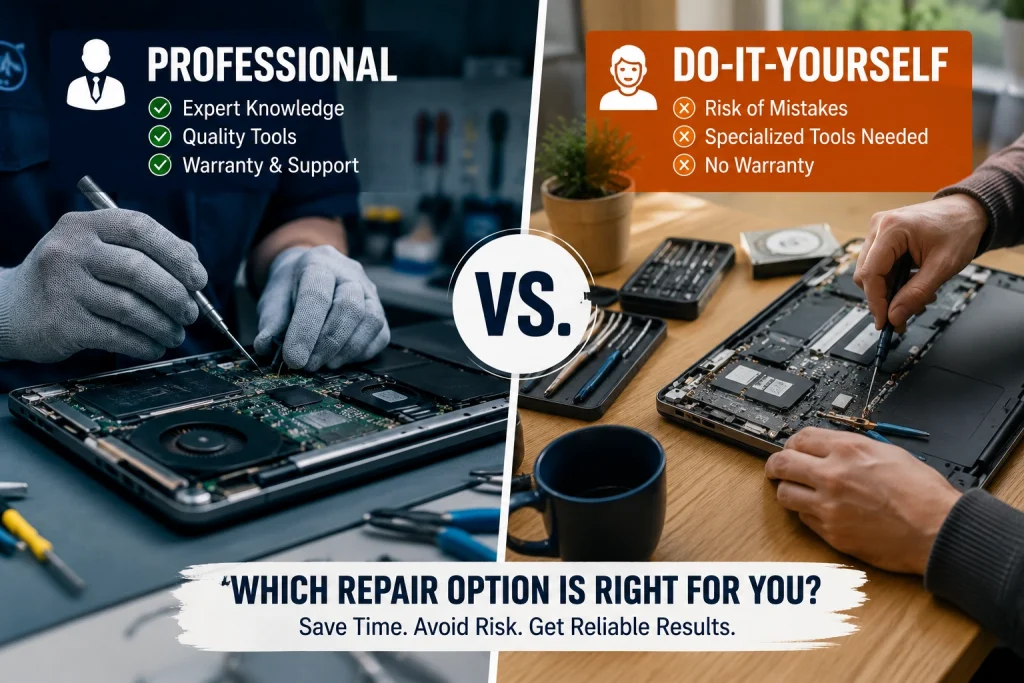
Professional vs. Do-It-Yourself Repair
While some adjustments are simple for beginners, others call for specific equipment and expertise.
Safe Do-It-Yourself Fixes
Often, you can manage:
- Dust removal from vents
- Conducting antiviral tests
- Eliminating startup applications
- Keeping drivers updated
- External battery replacement (older versions)
These low-risk activities enhance performance and lessen overheating.
Let Professionals Do These Repairs
Steer clear of DIY if your laptop has:
- A broken screen
- damage to the motherboard
- Problems with charging ports
- Water-related harm
- Replacement of internal batteries
- BIOS corruption
These repairs need to be done precisely, and if done poorly, they might potentially cause further harm.
It’s time to look for a reputable laptop computer repair company in your area with skilled specialists and clear pricing if you’re having these problems.
Selecting a Trustworthy Repair Facility
Prior to committing, inquire:
- Do they offer a written quote?
- Are repairs covered by a warranty?
- Do they make use of high-quality replacement parts?
- If necessary, can they retrieve your data?
- Are evaluations from customers always favorable?
A trustworthy repair facility will give you a thorough explanation of the problem, provide choices for repairs, and never coerce you into needless replacements.
Caution
Many contemporary computers may lose their manufacturer’s guarantee if you open them yourself. Prior to doing any interior repairs, always verify the condition of your warranty.
Fast Decision-Making Structure
Still not sure?
Respond to these five questions.
First question
Is the age of your laptop less than three years?
Yes, keep going.
No, think about a substitute.
Question 2
Is the estimated cost of repairs less than $200?
Yes – Repair
No – Continue
Question 3
Does your laptop still fulfill your demands on a regular basis?
Yes – Repair
No – Replace
Question 4
Is there just one damaged part?
Examples:
- screen
- battery
- keyboard
Yes – Repair
No – Continue
Question 5
Will the laptop last at least two more years after the repair?
Yes – Repair
No – Replace
Final Decision
Repairing is probably the more cost-effective option if you selected “Yes” for four or more questions.
Purchasing a new laptop will likely result in long-term cost savings if you selected “No” for three or more questions.
Concluding Remarks
When deciding whether to replace or repair your laptop, long-term worth is more important than the cost of repairs now. For a fraction of the price of purchasing a new device, you may fix a number of typical issues, such as laptop screen repair, battery replacement, software difficulties, and performance enhancements.
Before you spend hundreds, or even thousands, take the time to analyze repair costs, your laptop’s age, and how well it still serves your demands. Repairing laptop problems is often the more cost-effective and eco-friendly option.
Before making a decision, get a professional diagnostic from a reliable technician if you’re not sure.
Have you encountered this predicament? Leave a comment on your experience!
- Can a Broken Laptop Screen Be Repaired? Everything You Need to Know Before Replacing Your Device
- Laptop Screen Repair vs. Buying a New Laptop: Which Saves You More Money in 2026?
- Comprehensive Laptop Screen Repair Guide: 2026 Professional Solutions
- Laptop Battery Draining Fast? Causes and Repair Options
- Protect Your Display: Essential Habits to Prevent Laptop Screen Damage
- OLED and Touchscreen Laptop Repair vs. Replacement: A Cost-Benefit Guide
- Emergency Laptop Screen Repair in Houston: What to Do When Your Screen Breaks