.svg)
.svg)
.svg)




Computer in Home Repair: What Local Technicians Actually Do
Your laptop died right before a video call. The desktop in the spare room sounds like a small turbine. The printer you've ignored for months suddenly matters because someone in the house needs to scan and sign something now. That's usually when people start searching for computer in home repair, because hauling a tower across town is annoying, and a house call feels like the fastest way to get life back to normal.
That convenience is real, but it's only part of the story. A good technician is not just showing up with a screwdriver, they're deciding whether the machine can be fixed where it sits, whether the actual problem is in the room around it, and whether the repair belongs on-site or in a depot. The difference matters more than most home-repair pages admit.
Table of Contents
- What a Computer in Home Repair Visit Actually Looks Like
- How Onsite Service Works From the First Call to the Final Test
- Why Home Visits Beat the Alternatives for the Right Problems
- Fixes a Technician Can Complete Right at Your Kitchen Table
- When the Right Answer Is to Bring It to the Shop Instead
- A Real Houston Visit From Symptom to Working Machine
- Choosing a Home Repair Provider You Can Trust
What a Computer in Home Repair Visit Actually Looks Like
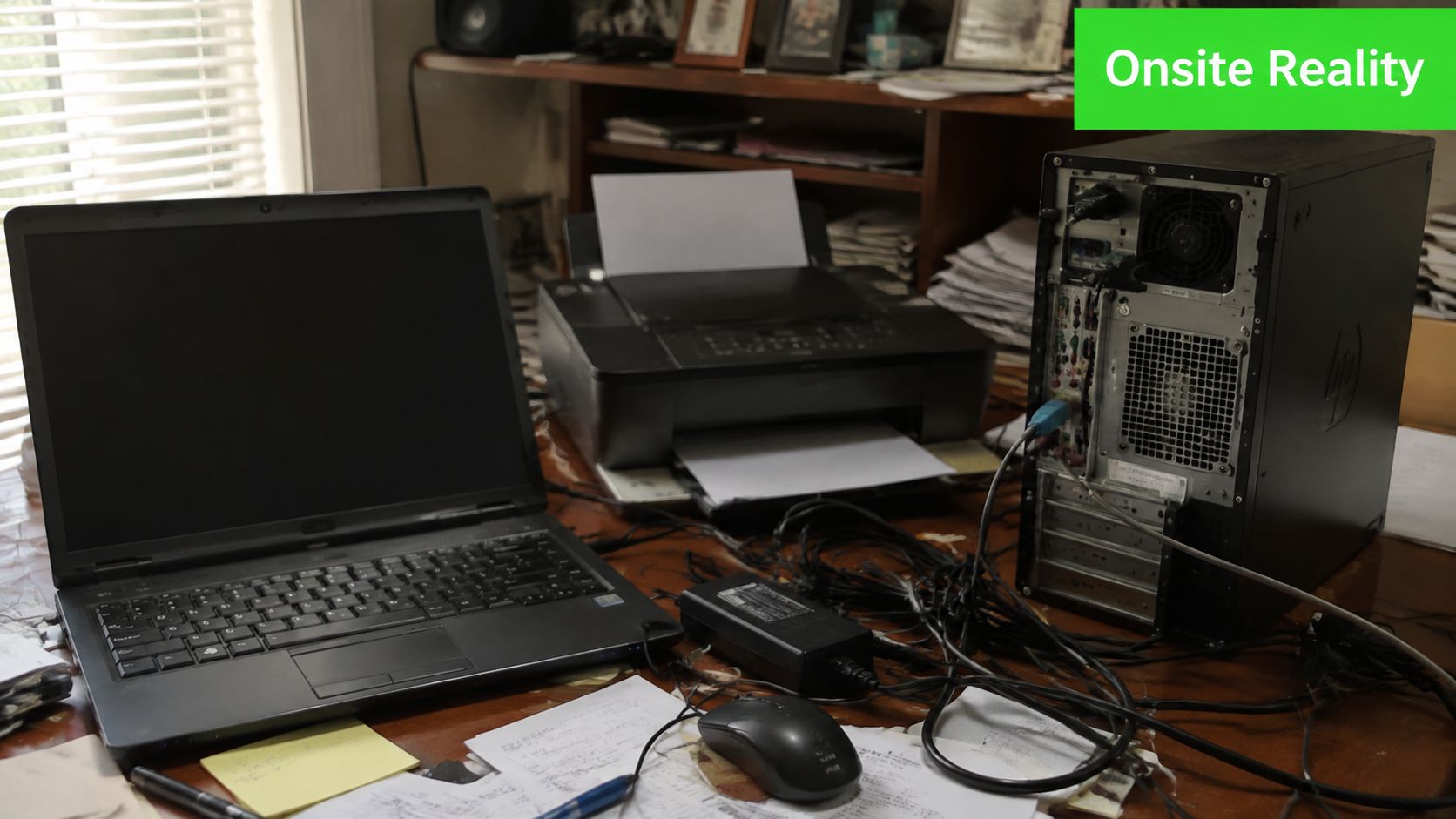
The call usually starts with a machine that won't boot, a Wi-Fi drop that keeps interrupting work, or a desktop that's making a whine you can hear from across the room. That's the normal face of computer in home repair, not a tidy showroom fix. The technician arrives to work on the device in the space where it fails, which means the room, the cabling, the power strip, the router, and the user habits are all part of the diagnosis.
The house call changes what gets tested
A home visit isn't just “shop work, but in a living room.” The technician can see whether the machine is fighting a bad outlet, a loose HDMI cable, a flaky printer connection, or a fan clogged with dust. That's useful because many “computer problems” are really environment problems that only show up when the full setup is powered on together.
The homeowner's job is simple. Clear a small workspace, know the symptoms, and point out anything recent, like a move, a spill, a power outage, or a new peripheral. The technician brings the diagnostic mindset, basic parts, adapters, cleaning tools, and the judgment to decide when the fix is straightforward and when it needs bench time.
Practical rule: if the problem depends on how the computer behaves in the room, a house call earns its place. If the problem depends on deeper board-level repair, the room matters far less than the bench.
A good onsite visit feels calm because the technician is narrowing the problem in real time. The machine stays in front of the user, the questions stay specific, and there's no mystery about what's happening with the device.
How Onsite Service Works From the First Call to the Final Test
The first exchange should sound more like triage than sales. A competent technician asks what changed, what the machine does when it fails, and what the user has already tried. That information matters because it lets the technician show up with the right plan instead of wandering into the house blind.
What good scheduling looks like
The cleanest visits start with a short description of the device, the symptoms, the brand, and whether the problem is a desktop, laptop, or network issue. If the machine is running but unstable, it helps to say whether it's slow, noisy, overheating, crashing, or losing connection. If the issue is network-related, it's smart to mention the router, printer, or any Wi-Fi extenders involved.
When the technician arrives, the setup should be deliberate. Shoes off if the homeowner prefers, static-safe habits, one clean table or counter, and enough room for a laptop, a small toolkit, and a test monitor if needed. Then comes the actual work, isolation from unnecessary peripherals, physical inspection, memory checks, BIOS or CMOS review when that's relevant, and log review before anyone starts swapping parts.
For general internet and device troubleshooting at home, a solid independent reference like the Premier Broadband troubleshooting tips can help users describe symptoms clearly before the visit. That doesn't replace a technician, but it does reduce the guesswork on both sides.
How estimates and follow-up usually work
Transparent service starts before a screw is turned. A technician should explain what can be fixed immediately, what needs a part, and what has to leave the house for deeper work. If a component needs bench repair or replacement, the estimate should be built around that reality, not padded with vague language.
A clean onsite workflow has one job, remove uncertainty fast. The visit should end with a tested machine, a clear next step, or a straight answer that the repair belongs elsewhere.
That's what separates a real house call from a casual drop-in. The customer should know what was checked, what was ruled out, and what still needs attention.
Why Home Visits Beat the Alternatives for the Right Problems
Home visits win when the problem lives inside the home setup. A desktop that only fails on the office desk, a printer that won't stay on the network, or a work laptop that needs to connect to the same Wi-Fi, monitor, and dock the user depends on every day are all strong candidates for onsite repair. Seeing the machine in context often cuts straight through the wrong assumptions.
The value is in the environment
A technician who can test a fix while the computer is still plugged into the exact router, cable path, and power source that the customer uses every day gets better answers faster. That matters for households juggling schoolwork, remote work, gaming rigs, and shared printers. It's also why a house call is often the better choice for desktop systems that are awkward to move or for homes with multiple devices that depend on the same network.
The trade-off is just as real. An onsite tech can't carry every board, every cable standard, or every specialty tool in a van. If the repair needs soldering, clean-room style handling, or a deep rebuild, the home is the wrong place to do it.
A house call should solve the right class of problems
That's why the service model has to match the fault. A good provider should be honest about what gets solved in the home, what gets picked up for bench work, and what's not efficient to attempt on a kitchen table. The benefits of choosing professional in-home computer repair services are strongest when the issue is tied to the living setup, not when the machine needs a lab-style intervention.
The best providers don't oversell convenience. They use it where it makes the repair faster and more accurate.
Fixes a Technician Can Complete Right at Your Kitchen Table
A good house call starts with the machine in place and a short, practical check. The technician disconnects unneeded peripherals, inspects dust-packed heatsinks and fans, looks for obvious cable wear or corrosion, and tests the memory before chasing a motherboard problem. That sequence matters because it rules out false leads early and keeps the diagnosis tied to what the computer is doing.
Repairs that make sense in a home setting
RAM swaps are a classic example. They are quick, low-disruption, and often enough to turn a sluggish system back into something usable. SSD replacement is another strong fit, especially when the old drive is mechanical or clearly worn out. Drive cloning, when done properly, lets the user keep files and installed programs without rebuilding the machine from scratch.
Software work also belongs at the table when the hardware is healthy. Malware cleanup, operating system refreshes, Wi-Fi setup, printer setup, and VoIP migration can all be handled cleanly in the home when the network and devices are accessible. For a practical look at why a machine can feel slow even before it fails, the slow laptop problems a computer repair technician can fix guide is a useful companion.
A good onsite technician also knows the limits. If a system is choking because of startup clutter, weak storage, or a bad wireless setup, the kitchen table is the right place to work. If the problem is a failing board or a damaged display assembly, the visit should shift toward a bench repair instead of stretching the home appointment past its useful point.
Field rule: slow boot, app lag, noisy fans, weak Wi-Fi, and aging storage often respond well to onsite work. Cracked panels, liquid intrusion, and board faults usually do not.
Quick Symptom Guide for Onsite Versus Depot Repair
| Symptom | Best Location | Why |
|---|---|---|
| Slow startup and app lag | Onsite | RAM, SSD, and software checks can be done where the machine sits |
| Wi-Fi dropping in one room | Onsite | The issue depends on the home network and signal path |
| Printer not showing up | Onsite | The repair must be tested against the user's actual network and devices |
| Loud fan noise | Onsite | Dust, heat, and airflow problems are easy to inspect in place |
| Cracked screen | Depot | Display replacement is cleaner with controlled parts handling |
| Liquid spill | Depot | Corrosion inspection and deeper cleaning are safer on a bench |
| Data won't open from a failing drive | Depot | Recovery work is more controlled with specialized tools |
| Motherboard fault | Depot | Bench diagnostics and component-level work are usually required |
When a repair depends on the room, the router, or the way the household uses the machine, onsite work usually makes sense. When the problem sits inside the machine itself, the bench is the better answer, and if the slowdown points to storage or software trouble, the same logic is why a technician will often start with a targeted check before recommending a larger repair. For households trying to sort out home connectivity problems while a computer is being serviced, the Premier Broadband troubleshooting tips guide is a practical reference for the network side of the job.
When the Right Answer Is to Bring It to the Shop Instead
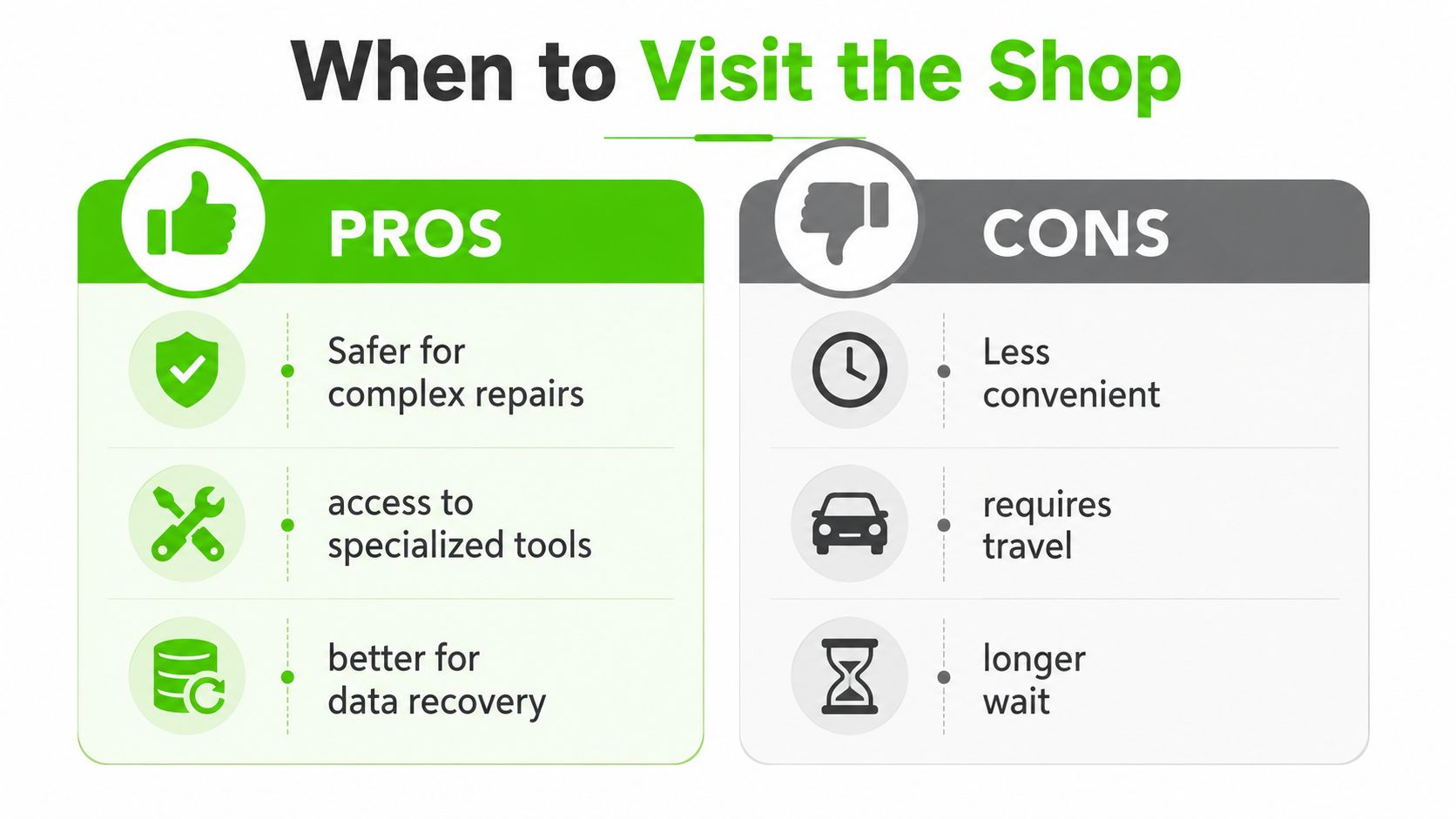
Some repairs are worse as house calls, and that's not a knock on onsite service. Liquid damage, motherboard faults, cracked panels, and full data recovery need controlled space, steady lighting, specialty tools, and time without interruption. A kitchen table rarely offers that.
Why the depot wins for deeper hardware work
A depot bench gives the technician the things a house call can't, a soldering station, clone hardware, replacement screens, test drives, spare adapters, and room to keep the machine open while it's being verified. That means the repair can be more deliberate, and often faster, because the parts and the tools are already in the same place. For guidance on what to do with older machines that may be better reused, donated, or retired, options for outdated computers is a useful reference point for thinking beyond simple repair.
A hybrid provider matters here. A technician can diagnose at home, decide the machine needs depot work, and keep the same provider accountable through the handoff. The depot repair vs on-site repair in 2026 discussion is worth reading if you want a cleaner mental model of that decision.
The decision rule is simpler than most people think
Use the home visit when the issue depends on the room, the network, or a quick component swap. Use the shop when the problem involves contamination, structural damage, data risk, or component-level repair. That's the line.
A provider with an in-house depot can close the gap nicely. The machine doesn't bounce between unrelated vendors, and same-day turnaround becomes realistic when the right parts are already in stock.
A Real Houston Visit From Symptom to Working Machine
A typical Houston job starts with a call about three different frustrations in one house. The laptop screen is cracked from a drop, the Wi-Fi drops during calls, and the older desktop is still running but feels painfully slow. That's not unusual. Families tend to notice several weak points at once, then want one provider to sort the whole mess out.
One visit, two locations, three outcomes
The onsite technician starts with the network issue because that's the problem affecting everyone right now. Once the Wi-Fi path is stabilized, the cracked laptop gets tagged for depot work since display replacement is cleaner and safer off-site. The desktop, if it only needs a storage and memory refresh, can often be upgraded at the house without disrupting the rest of the setup.
That kind of coordination only works when the provider has both onsite capability and an in-house depot. It also helps when the same team handles Windows and macOS systems, because mixed-device homes aren't rare anymore. The technician isn't just fixing a machine, they're fitting the repair into a household workflow.
A lot of local operations also coordinate with outside tools and partners for endpoint protection, firewall work, browser security, storage policy, and VoIP support. Those pieces matter most when the house visit expands into a broader support engagement rather than a one-off repair.
The result is simple enough to understand. One call, one accountable provider, and the least disruptive repair path for each machine.
Choosing a Home Repair Provider You Can Trust
The right provider gives you answers before you commit. Ask how they diagnose, whether they give up-front estimates, whether the same technician can handle both onsite and depot work, and how they handle parts if something isn't fixable in one visit. If the answers are vague, keep looking.
What to listen for before you book
A trustworthy operation talks plainly about turnaround, communication, and service limits. It should be comfortable handling phone, text, or email updates, and it should explain whether the repair stays in-house or gets outsourced. Certified technicians and broad brand experience are good signs, but only if they're paired with a clear process.
Pay attention to the way they talk about the repair location. Good providers don't treat home service as a gimmick. They explain when onsite is efficient, when the depot is smarter, and how both paths protect your time and your data.
Short checklist: clear diagnosis, transparent estimate, real depot capability, no mystery handoffs, and communication that stays easy.
That's the standard that matters in a city like Houston, where traffic, schedules, and mixed home-office setups all push people toward convenient but not always complete solutions. A provider that can do both, onsite and in-house, gives you more control over the repair path.
If your computer is stuck in that awkward middle ground, too important to ignore but too inconvenient to drag across town, We Fix PC Laptop can handle the diagnosis at your home and move tougher repairs into its in-house depot when that's the smarter path. Visit We Fix PC Laptop to book service, ask about same-day turnaround when parts are available, and get a repair plan that fits the actual problem instead of forcing every issue into one format.