.svg)
.svg)
.svg)




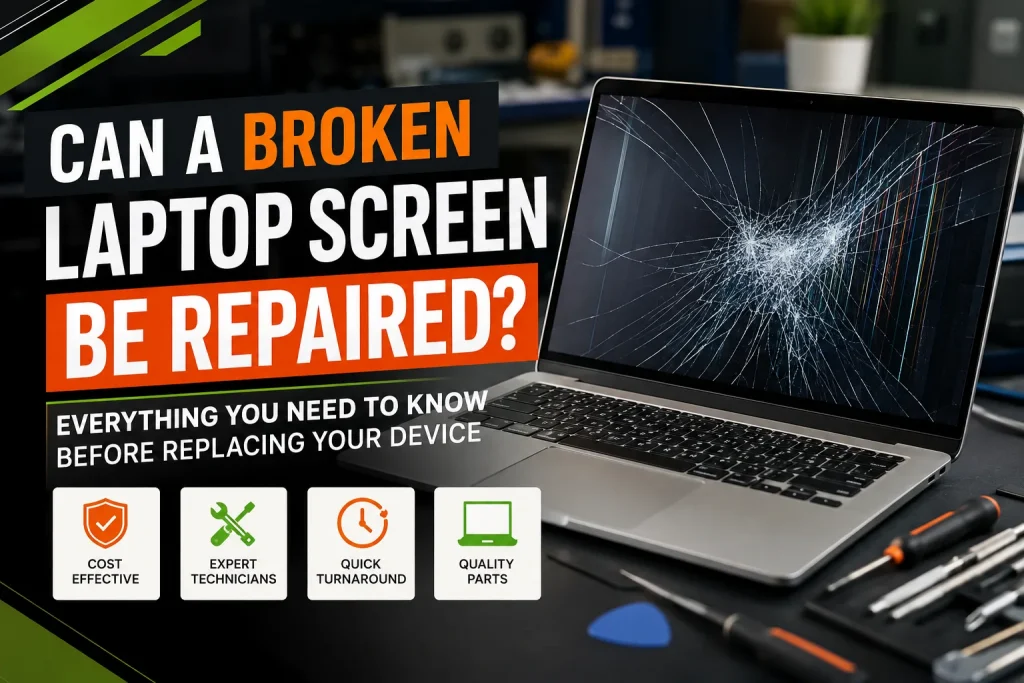
Can a Broken Laptop Screen Be Repaired? Everything You Need to Know Before Replacing Your Device
Opening your laptop to find a web of cracked glass, dark ink-like spots, or a completely black screen is an immediate source of stress. Whether a drop onto a hardwood floor caused the damage or a rogue pen was left on the keyboard when closing the lid, your immediate concern is usually the same: Do I need to buy an expensive new computer, or can a broken laptop screen be repaired?
As computer repair specialists who handle hundreds of hardware failures every month, we can give you a straightforward answer: Yes, a broken laptop screen can almost always be repaired.
In fact, opting for a professional laptop screen repair is one of the most cost-effective hardware fixes you can make. In this guide, we break down costs, diagnostics, repair timelines, and how to decide if fixing your display is the right choice.
Signs Your Laptop Screen Needs Repair
Not all screen damage manifests as obvious broken glass. Internal components within the display panel or motherboard connection can fail without a single visible crack on the exterior glass.
Watch for these common indicators that your display needs attention:
- Visible Cracks or “Spiderwebbing”: Fractured outer glass or internal LCD layers.
- Inky Black Spots or Rainbow Lines: Internal liquid crystal leaks showing vertical or horizontal distortion.
- Flickering or Glitching Display: Rapid flickering, often caused by loose display cables or backlight failures.
- Black Screen with Power Lights On: The laptop boots up, fans spin, and key lights work, but the display remains dead black.
- Dim or Faded Image: The picture is barely visible under bright light, indicating a failing LED backlight inverter or backlight circuit.
- Unresponsive Touchscreen: A touchscreen laptop repair is needed when touch inputs freeze or trigger phantom clicks.
Common Causes of Laptop Screen Damage
Understanding what caused the damage helps determine whether the issue is isolated to the screen itself or extends to structural parts like the chassis or top cover.
- Accidental Drops and Physical Impact: The primary cause of a cracked laptop screen. Drops stress the glass, internal LCD layers, and bezel.
- Objects Left on the Keyboard: Closing the lid on objects like pens, earbuds, or paperclips concentrates force onto a tiny surface area, cracking the glass instantly.
- Pressure and Squeezing: Carrying a laptop in a crammed backpack without a padded sleeve presses hard objects directly against the lid.
- Laptop Hinge Damage: Stiff, seized, or broken hinges apply twisting force directly to the bottom corners of the display panel, tearing display cables or cracking the glass.
- Liquid Spills and Humidity: Moisture entering the bottom edge of the bezel corrodes the display controller board (T-CON board) or LED backlight connections.
Can Every Broken Laptop Screen Be Repaired?
Virtually every broken laptop screen can be fixed by replacing the damaged display panel. However, “repairing” a screen rarely means gluing the broken glass back together. Because modern LCD and LED displays are thin, precision-layered sandwiches of polarizers, glass, liquid crystals, and backlights, a damaged panel must be swapped out entirely.
When Is a Screen Repair Not Possible?
A display swap might not solve your problem if:
- The Motherboard / GPU is Fried: If the graphics chip has failed, installing a fresh screen still yields no picture.
- Severe Frame / Chassis Distortion: If the metal top lid is severely bent or crushed, a new glass panel won’t sit flush without breaking.
- Obsolete Part Availability: Extremely old or rare proprietary laptops may lack available replacement panels.
Screen Repair vs. Replacing the Entire Laptop
Before spending $800 to $2,000+ on a new computer, evaluate whether a laptop display replacement makes financial sense.
| Decision Factor | Screen Repair / Replacement | Buying a New Laptop |
| Average Cost | $100 – $350 (Parts & Labor) | $600 – $2,500+ |
| Data Safety | 100% Intact – No migration needed | Time consuming data transfer required |
| Turnaround Time | Same-day to 48 hours | Setup & configuration takes days |
| Environmental Impact | Low (Reduces e-waste) | High |
| Best Choice When… | Laptop is under 4–5 years old & performs well | Laptop is old, slow, or has motherboard damage |
Types of Laptop Screen Damage
Different display technologies dictate how a technician approaches your damaged display repair.
Laptop Screen Damage Types
- Non-Touch LCD / LED (Panel-only swap)
- Touchscreen Displays (Fused glass & digitizer)
- OLED & High-Refresh Gaming Screens (Specialty high-color panels)
- Display Cable / Hinge Damage (Structural & connection fixes)
Standard LCD/LED Screens: Common in budget and mid-range laptops. The plastic bezel is unclipped, and the inner panel is replaced.
Touchscreen Assemblies: Uses an outer glass digitizer bonded to the inner LCD. These are usually replaced as a complete assembly.
OLED & High Refresh Rate Panels: Found in premium ultrabooks and gaming rigs. These require exact match panels to retain color accuracy and 120Hz–240Hz performance.
Display Cable & Hinge Damage: Sometimes the panel itself is healthy, but a worn video cable (eDP cable) passing through a broken hinge causes flickering or signal loss.
Repair Process Explained Step by Step
Curious about what happens behind the bench during a professional repair laptop service? Here is the technical workflow:
Initial Diagnostic & External Testing: Isolating hardware vs. GPU failure.
The technician connects the laptop to an external monitor via HDMI or DisplayPort. If the external screen renders crisp video, it confirms the motherboard and GPU are healthy and the issue is strictly isolated to the laptop display or internal cable.
Power Disconnection & Safety Protocol: Preventing motherboard shorts.
The laptop lower case is removed, and the primary battery is disconnected. Working on a live display circuit can blow the backlight fuse on the motherboard.
Bezel Removal & Display Disassembly: Accessing internal mounting points.
Technicians carefully unclip the plastic screen bezel or soften factory adhesive around the glass using controlled heat tools without warping the casing.
Part Identification & Cable Detachment: Matching exact manufacturer specifications.
The damaged panel is unscrewed, lifted, and the video ribbon connector (eDP cable) is safely unlatched. The technician reads the factory part number on the rear of the panel to select an exact spec match (pin count, connector position, refresh rate, and finish).
New Screen Installation & Testing:Verification before final reassembly.
The new replacement screen is connected and temporarily powered on to check for dead pixels, backlight uniformity, color balance, and touch response before sealing the chassis back up.
Average Repair Costs and Timelines
Costs vary depending on screen size, resolution, and whether touch features are built in.
Repair Cost Breakdown
- Standard Non-Touch HD/FHD Screen: $100 – $180
- Touchscreen Laptops: $180 – $300
- MacBook & High-End OLED/Gaming Screens: $220 – $450+
- Display Cable Replacement Only: $80 – $130
Timeline Expectations
Most standard laptop computer screen repair jobs can be completed in less than 2 hours when parts are in stock. If a specialized OEM panel must be ordered, total turnaround is typically 2 to 4 business days.
Risks of DIY Screen Repair
While online video tutorials make DIY screen replacement look quick, it carries real hardware risks if you lack specialized electronics tools:
- Blowing the Backlight Circuit: Failing to disconnect the battery before unplugging the screen ribbon cable can send high voltage into the motherboard, killing the backlight permanently.
- Ordering the Wrong Screen Spec: Laptops of the exact same model series often ship with 30-pin vs. 40-pin connectors, touch vs. non-touch panels, or matte vs. glossy finishes.
- Cracking New Glass During Frame Snap-In: Modern bezel-less laptops use strong adhesives. Applying uneven pressure when re-seating a panel can instantly shatter the new glass.
- Stripping Delicate Antenna or WebCam Wires: Wi-Fi antenna wires and webcams wrap tightly around display hinges and are easily cut by mistake.
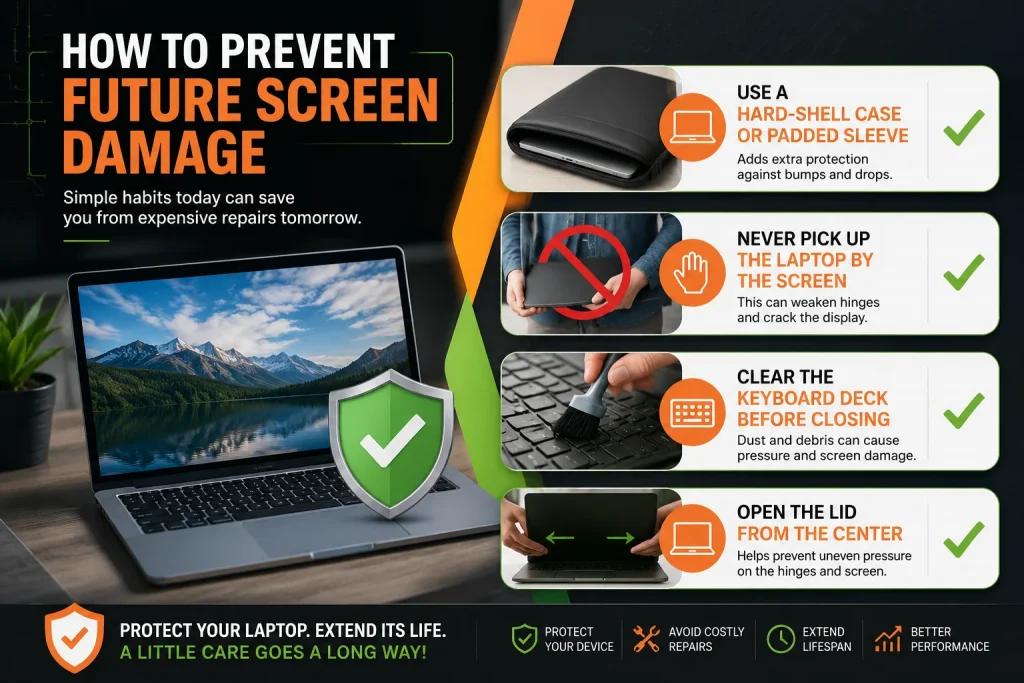
How to Prevent Future Screen Damage
Prevent future headaches with these practical protective habits:
- Use a Hard-Shell Case or Padded Sleeve: Always slip your laptop into a dedicated sleeve before putting it in a backpack.
- Never Pick Up the Laptop by the Screen: Always lift your device by holding the base with both hands.
- Clear the Keyboard Deck Before Closing: Get in the habit of sweeping your hand across the keyboard before shutting the lid.
- Open the Lid from the Center: Opening your screen from a top corner twists the display assembly, putting strain on the glass and hinges.
Why Choose Professional Laptop Screen Repair in Houston?
When your device breaks, waiting weeks for mail-in depot repairs isn’t practical, especially for students, remote workers, and businesses. Choosing a trusted local provider for computer repair Houston ensures fast turnarounds, transparent pricing, and expert hands-on diagnostics.
At We Fix PC Laptop, our certified technicians provide reliable same-day laptop repair for HP, Dell, Lenovo, ASUS, Acer, and Apple devices. We perform comprehensive diagnostics to ensure your motherboard and components are healthy before carrying out any display replacement.
Need your laptop fixed fast? Visit our laptop screen repair service page to request a free quote or consult with a technician today!
Frequently Asked Questions
1. Can a laptop screen be repaired if the glass isn’t cracked but the picture is black?
Yes. A black screen with no visible cracks usually indicates an internal LCD backlight failure, blown display controller, or loose display cable. A technician can diagnose the exact failure point and replace the necessary components.
2. Is it safe to connect my laptop to a TV while waiting for repair?
Yes! Connecting your laptop to a TV or external computer monitor using an HDMI or USB-C cable is completely safe and allows you to keep working while you schedule your repair.
3. Will replacing my laptop screen affect color accuracy for graphic design?
If you select an exact OEM-spec replacement panel, your screen’s color gamut, resolution, and brightness levels will remain identical to the original display.
4. Why are touchscreen laptop screen repairs more expensive?
Touchscreen repair is pricier because the outer glass digitizer and inner LCD panel are fused together with optical clear adhesive (LOCA). Replacing them requires swapping the entire integrated assembly rather than just the underlying panel.
5. Can broken laptop hinges crack the screen?
Yes. When laptop hinges seize due to dirt or mechanical wear, opening the lid places uneven pressure across the bottom of the screen housing, which can easily snap the glass over time.
6. Do you need my password or login details for a screen repair?
Technicians do not need your Windows or Mac password to replace the physical display panel. A hardware boot test can verify display output, backlight controls, and color rendering without logging into your personal desktop environment.
7. What is the difference between an LCD and an LED laptop screen?
Most modern “LED screens” are actually LCD panels that use energy-efficient LED backlighting instead of older CCFL tubes. They are thinner, brighter, and consume significantly less battery power.
8. Can I upgrade my laptop screen to a higher resolution or touch capability during repair?
In most cases, no. Laptop motherboards, display cables, and top covers are designed specifically for the original display configuration (such as pin count and voltage). Upgrading resolution or adding touch functionality typically requires a different motherboard configuration.
9. How do I clean my new laptop screen safely after repair?
Use a soft microfiber cloth lightly dampened with distilled water or a dedicated electronic screen cleaner. Never spray liquids directly onto the glass or use ammonia-based cleaners like standard window sprays.
10. Does fixing a laptop screen void my manufacturer warranty?
Having an unauthorized shop fix your device can void the remaining factory warranty. However, if your laptop is already past its standard 1-year warranty period, third-party repair is vastly cheaper and faster than manufacturer depot programs.
11. Can a damaged display cable cause lines on my screen?
Yes. Vertical or horizontal lines that change or disappear when you tilt the lid back and forth are often caused by a pinching or damaged display cable running through the hinge rather than a broken panel.
12. How can I get a repair estimate for my laptop screen in Houston?
You can request a free estimate by contacting a local specialist. Simply share your laptop brand, exact model number (found on the bottom casing sticker), and a brief description of the display problem.
- How to Fix an Overheating Laptop: A Complete Repair Guide
- How to Fix a Water Damaged Laptop: Expert Tips
- How to Find the Best Notebook Repair Shop: The 2026 Expert Guide
- Laptop Screen Repair vs. Buying a New Laptop: Which Saves You More Money in 2026?
- The Ultimate Guide to Laptop Repair: Restoring Performance and Data in 2026
- Comprehensive Laptop Screen Repair Guide: 2026 Professional Solutions
- Laptop Repair or Replacement? How to Decide Before Spending Hundreds of Dollars