.svg)
.svg)
.svg)




How to Setup VoIP Phone System for Your Business
A new VoIP rollout often starts with a simple complaint: calls sound choppy, customers repeat themselves, and staff blame the provider. The internet connection looks fast enough, the phones are brand new, and the installation seemed straightforward. However, the underlying issue may be a congested switch, poor upload performance, an interfering router feature, or a failover path nobody tested.
That's why learning how to set up a VoIP phone system requires more than choosing a cloud provider and plugging in handsets. The dependable installations I've seen combine provider selection with network preparation, security controls, endpoint testing, and a carefully managed migration. The phones are only the visible part of the system.
Table of Contents
- Why VoIP Setup Is Different Than It Used To Be
- How to Choose the Right VoIP Provider for Your Business
- Preparing Your Network for VoIP Quality
- Securing Your VoIP Phone System
- Provisioning Handsets and Devices
- Migrating From Legacy Phone Lines Safely
Why VoIP Setup Is Different Than It Used To Be
A Houston office may run a cloud phone system on desk phones, laptops, and mobile apps yet still give customers a poor experience. Voice packets compete with backups, video meetings, and large file transfers, while an unmanaged switch or router can add delay and jitter. Treating VoIP as a hardware replacement exposes those weaknesses only after calls begin.
Modern VoIP phone systems have moved beyond a simple phone swap. The rollout now depends on bandwidth planning, traffic priority, firewall behavior, security controls, and correctly provisioned endpoints. The provider remains important, but the local network often determines whether calls sound clear on day one.
VoIP has reached mainstream scale in the United States. An independent industry summary reports 63.4 million U.S. interconnected VoIP subscriptions in June 2025, about 80.8% of fixed voice connections, compared with 78.4 million total fixed voice connections. Business fixed connections were even more VoIP-heavy, with roughly 83.6% using interconnected VoIP during that period. The industry summary provides additional context on VoIP adoption and setup planning. Those figures support a practical conclusion: setup work must address network capacity, SIP architecture, firewall rules, and device provisioning.

The old plug-and-play assumption
Early internet calling required more experimentation. Commercial consumer VoIP began in 1995, and SIP standardization in 1999 improved interoperability among phones, servers, and carriers. Skype launched in 2003, FCC E911 requirements for VoIP followed in 2004, SIP gained wider use in 2005, and cloud PBX services emerged in 2008. A broader VoIP history and market overview explains these milestones.
Current deployments commonly combine a hosted PBX, SIP trunks, desktop software, mobile applications, and managed network equipment. That flexibility creates dependencies across the endpoint, switch or access point, VLAN, firewall, NAT behavior, SBC, PBX, carrier, and destination network.
Practical rule: If you can't draw the call path, you can't troubleshoot the system efficiently.
Start before the first handset arrives. Document the network, define calling requirements, confirm emergency routing information, test failover, and prepare a rollback plan. Skipping those steps can turn a provider change into a first-day service problem.
How to Choose the Right VoIP Provider for Your Business
A provider can deliver excellent service and still produce poor calls if the local network, firewall, or device setup is wrong. Provider selection should therefore start with your call patterns and operating conditions, not a vendor's feature list. A dental office may prioritize reception routing and privacy controls. A law firm may require secure records and dependable failover. A property manager may need mobile access, shared lines, and queue behavior for several locations.
The market includes mature hosted PBX, SIP trunking, desktop application, and mobile service models. Reported industry figures place VoIP among large and expanding business communications markets, but market size does not guarantee a provider's performance for your office. Compare the service model, support boundaries, emergency calling process, and network requirements before signing a contract. The provider market overview includes these reported market figures and historical context.
Use a comparison process that makes vendors explain operational details rather than repeat sales language.
VoIP provider comparison criteria
| Criteria | Why It Matters | What to Ask |
|---|---|---|
| Call quality support | Clear audio depends on network conditions as well as the platform | How do you investigate jitter, packet loss, and one-way audio? |
| Network architecture | The carrier's SBC and routing model affect resilience and troubleshooting | Where are SBC functions handled, and what information will support provide during an incident? |
| Emergency calling | Accurate location information matters when users contact emergency services | How are office locations, remote users, and address changes maintained? |
| Number porting | Poor coordination can interrupt customer contact | What documents and carrier details are required, and how is the cutover scheduled? |
| Integrations | The phone system should fit existing workflows and avoid duplicate data entry | Which CRM, help desk, and collaboration tools are supported natively? |
| Administration | Internal teams need controlled access and useful records | Can administrators manage users, permissions, call flows, and audit records? |
| Growth flexibility | Staffing and location changes should not require a new design | How are users, locations, and call queues added? |
| Support ownership | Failures often cross the boundary between the carrier and local network | Who owns troubleshooting when the provider sees registration but users hear broken audio? |
Require a live demonstration built around your actual call flow. Have the vendor show how the main number reaches a queue, what happens when nobody answers, how a remote user connects, and how an administrator blocks international calling. Ask for a test plan that includes your firewall, handsets, headsets, mobile applications, and busy-hour traffic. A quiet demonstration from the vendor's environment cannot confirm how the system will behave in your office.
The provider should also state what your team must supply. Confirm bandwidth expectations, supported handsets, VLAN or firewall requirements, number-porting responsibilities, emergency address management, and escalation contacts. If the vendor cannot explain how its service interacts with your network, pause the purchase until those details are documented.
For a broader comparison framework, businesses can review this guide to choose the right VoIP provider. If the rollout includes broader technology changes, a documented managed IT support partner evaluation process helps define responsibility for networking, security, endpoints, and ongoing support.
Be cautious when a provider promises perfect quality without inspecting your network, treats emergency calling as an afterthought, or cannot explain failover behavior. A low monthly price will not compensate for unclear ownership when calls fail during business hours. Choose the provider that can explain both its service and the conditions required for that service to work reliably.
Preparing Your Network for VoIP Quality
A Houston office can have a fast internet package and still produce broken, delayed calls. The failures usually come from the local path: overloaded uploads, unmanaged queues, inconsistent wireless coverage, or a firewall that mishandles signaling and media. Provider selection matters, but network preparation often determines whether calls sound clear on launch day.
Start by mapping the traffic path. Record the internet circuit, edge firewall, switches, wireless infrastructure, VLAN design, PBX or hosted service, SBC connection, and remote-user access method. Observe that path during normal work and the busiest periods. A test taken while nobody is uploading files says little about what employees will experience during live calls.
Measure the quality budget
Use one-way latency under 150 milliseconds as the upper boundary for acceptable conversation. Stronger targets are under 80 milliseconds for latency, under 15 milliseconds for jitter, and under 0.5% packet loss, as summarized in VoIP quality of service guidance. These figures help identify risk, but they do not replace testing with your carrier, firewall, codecs, and actual endpoints.
Bandwidth planning must include simultaneous calls rather than employee headcount. Recent setup guidance recommends budgeting about 100 kbps per concurrent call, preferring wired connections, keeping latency ideally under 50 milliseconds, and keeping packet loss below 1%. Those planning references appear in this practical VoIP setup guide. Validate the result under the traffic conditions your office creates.
Use this pre-cutover checklist:
- Count concurrent calls: Estimate conversations during the busiest normal period.
- Check upload performance: Voice travels in both directions, so saturated uploads can clip audio while downloads still appear healthy.
- Measure jitter and loss: Check variation and missing packets, not only the headline speed from an internet test.
- Prioritize voice traffic: Apply QoS markings and reserve capacity so calls do not compete equally with backups, streaming, and large transfers.
- Use wired endpoints where practical: Ethernet removes avoidable wireless variation for fixed desk phones.
- Test SIP ALG behavior: Some routers alter SIP traffic, causing registration failures, one-way audio, or failed transfers. Disable or adjust the feature when the carrier design requires it.
- Retest after changes: Run synthetic SIP calls after firewall, router, codec, or QoS changes.
Build the network before the phone rollout
A voice VLAN makes desk-phone traffic easier to identify and control, but it does not provide QoS by itself. Confirm that switches, firewall rules, DHCP behavior, and access policies work together before production handsets arrive. Remote users require separate testing because home Wi-Fi, consumer routers, and VPN paths can introduce problems absent from the office.
For teams documenting the wider environment, this guide to setting up a small business network provides a useful companion framework. Fix the local path before blaming the carrier. That approach exposes capacity and configuration problems while changes are still easy to make.
Securing Your VoIP Phone System
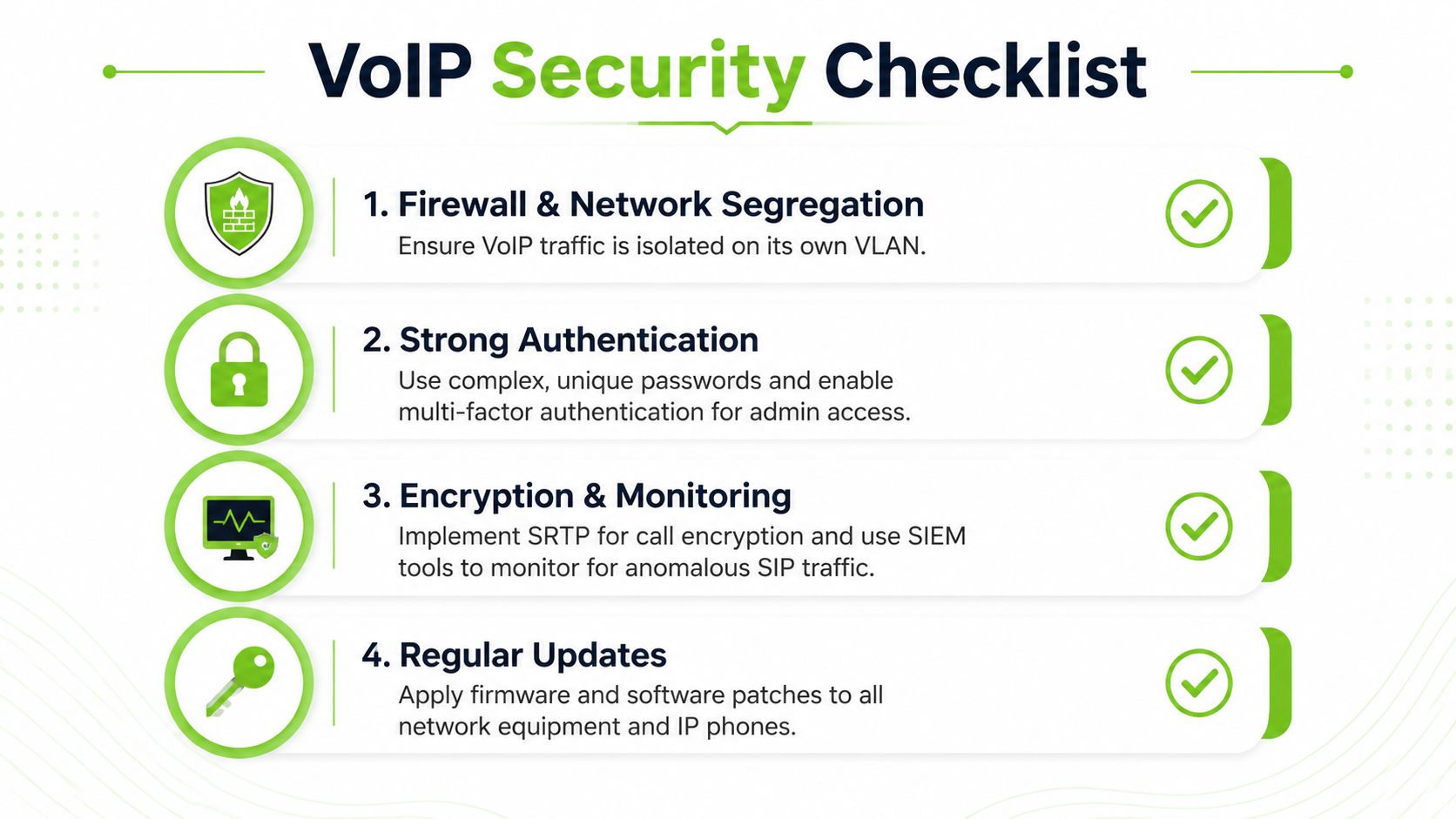
Treat VoIP security as part of the initial design. An exposed SIP service, weak credential, or unrestricted international route can turn the phone system into a source of toll fraud and operational disruption.
Lock down signaling and administration
Document each permitted connection between the carrier, SBC, PBX, firewall, and endpoints. Use carrier IP allowlists where supported, limit management access to trusted administration paths, and keep administrative interfaces off the public internet.
Use TLS 1.2 or 1.3 for SIP signaling and SRTP for media, following this SIP trunk security checklist. Give every user and device a strong, unique credential, remove factory defaults, and protect administrator accounts with multifactor authentication when the platform supports it.
Voice segmentation creates another control boundary. Put desk phones in a dedicated VLAN, restrict traffic between voice and user networks, and permit only the services required by the phones and provider. Segmentation does not replace password controls, but it reduces unnecessary access and makes suspicious traffic easier to review.
Monitor calling behavior before criminals do
Enable rate limiting and brute-force protection, such as Fail2Ban or an equivalent control. Restrict international calling to departments that need it, set spending caps, and alert on unusual destinations, sudden call-volume changes, repeated registration failures, or abnormal call detail records.
Write the incident procedure before deployment. Identify who can suspend a compromised extension, block a destination, contact the carrier, preserve logs, and restore service. Test failover routes too. A backup route nobody has exercised is an assumption, not a recovery plan.
Businesses assessing telecom exposure can browse the Voiswitch breach report. Apply the same access controls, logging, and response planning used for other business systems, as outlined in this guide to cybersecurity and network defense.
Provisioning Handsets and Devices
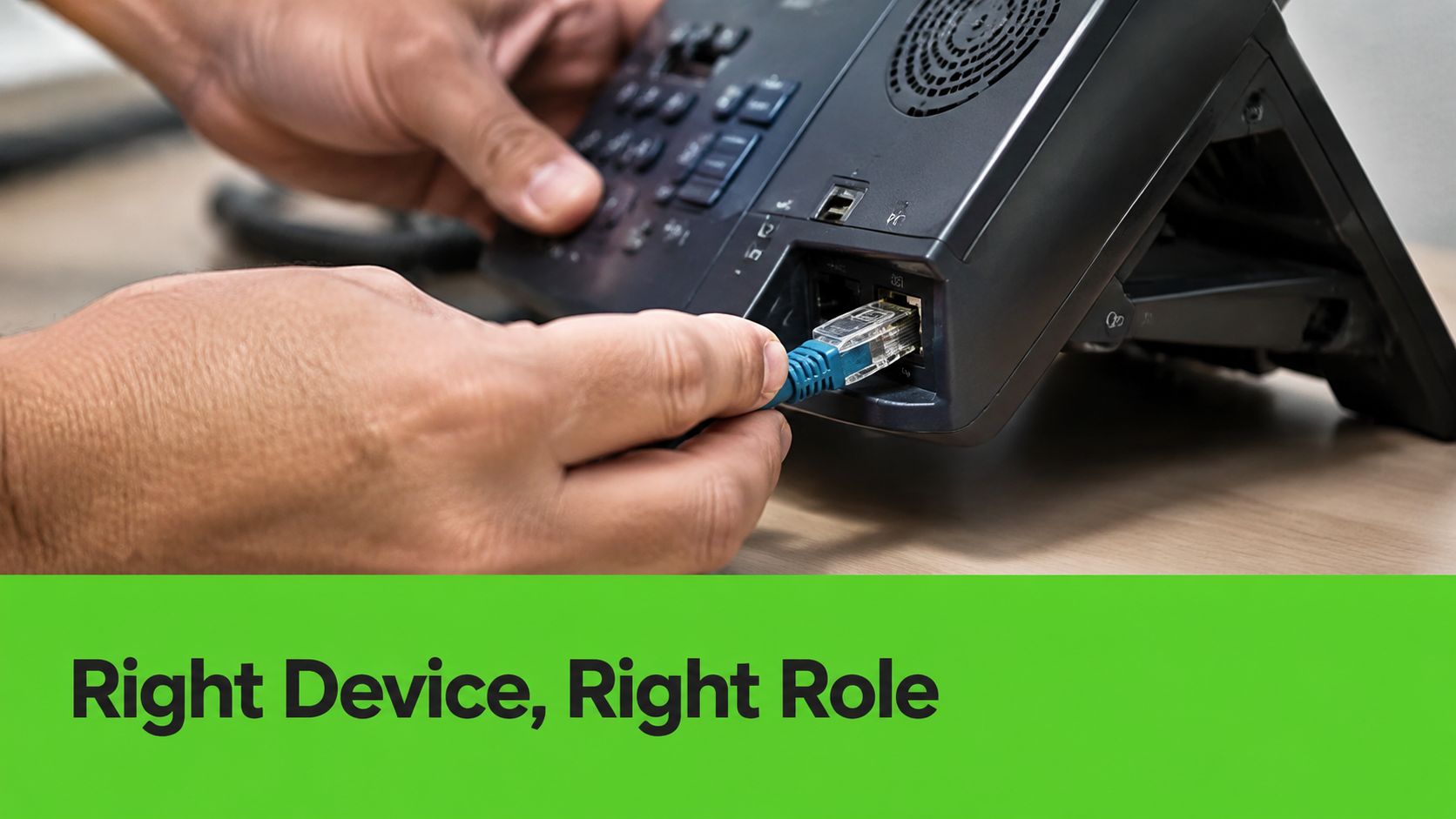
A receptionist, sales representative, and warehouse employee should not receive the same endpoint by default. Choose hardware around the work. Receptionists often need programmable keys and shared-line visibility. Mobile sales staff may work better with a provider app and a reliable headset. Conference rooms need speaker and microphone coverage suited to the room, while warehouse and service roles usually require mobility and durable equipment.
Create a repeatable provisioning workflow
Build an endpoint register before assigning devices. Include the employee, department, location, device type, extension, emergency location, and support owner. Use a naming convention that lets a technician identify a phone without searching the office. Batch provisioning through the provider portal reduces manual work, but review each template before applying it across a department.
Use this sequence:
- Prepare the user record: Confirm the extension, direct number, queue memberships, voicemail policy, and access permissions.
- Assign the endpoint: Match a desk phone, softphone, mobile app, headset, or conference device to the employee's role.
- Apply the profile: Load the approved configuration, firmware, language, time settings, programmable keys, and security settings.
- Test the endpoint: Make inbound and outbound calls, verify hold and transfer behavior, check voicemail, and confirm two-way audio.
- Document exceptions: Record shared phones, remote locations, unusual headset requirements, and special calling permissions.
- Train the user: Demonstrate the functions used each day and provide a short reference sheet.
For heavy callers, a quality headset often delivers more value than an expensive desk phone. Softphones suit remote employees, but their performance depends on the laptop's operating system, microphone, permissions, and home network. Conference phones need a room-specific test because furniture, room size, and background noise change voice clarity.
Control firmware updates instead of allowing devices to update at random. Keep spare endpoints available, or document the replacement process, so a failed phone does not create a prolonged interruption.
The following walkthrough shows the physical connection and initial device workflow:
Test after provisioning from every relevant network segment, including at least one remote user. A phone that registers at a technician's desk can still fail behind the employee's assigned switch port, access point, or home router. This final check catches local-network problems before users depend on the new system.
Migrating From Legacy Phone Lines Safely
Migration succeeds when number porting, call routing, emergency information, testing, and staff readiness are treated as one project. Moving the numbers first and figuring out the call flow later creates avoidable risk. So does switching every device at once without a parallel operating plan.
Start with an inventory and porting file
Document every existing number, published number, fax dependency, alarm or elevator line, after-hours route, hunt group, auto-attendant option, and forwarding rule. Identify which numbers must be ported and which legacy services require a separate solution. Collect the carrier account details and authorization documents early, since incomplete information can delay the transfer.
Define the desired call path before submitting the port request. For each main number, write what happens during business hours, after hours, holidays, overflow conditions, and carrier failure. Include voicemail ownership, queue membership, recording requirements, and the person responsible for approving changes.
Emergency calling needs its own review. Confirm that every office location has accurate emergency routing information and that remote users understand how their location is represented. A user working from a different address may need a location update or a policy that directs emergency calls through an appropriate process. Don't assume the address on the business account covers every endpoint.
Run both systems during the transition
A parallel run gives staff a chance to use the new system while the old service remains available. Better setup guidance recommends running both systems for 1 to 2 weeks, while also arranging old-to-new forwarding and keeping the required carrier information available for number porting. This migration-focused setup guide discusses parallel operation, forwarding, and porting preparation.
During the parallel period, test more than a basic inbound call:
- Inbound main-number calls: Confirm greetings, menu choices, queue delivery, overflow, and voicemail.
- Outbound caller ID: Verify that customers see the intended business number.
- Transfers and holds: Test internal transfers, external transfers, blind transfers, and return-from-hold behavior.
- After-hours routing: Confirm schedules, holiday rules, emergency announcements, and voicemail delivery.
- Remote calling: Test the desktop app and mobile app from the locations employees use.
- Emergency procedures: Verify location records and internal instructions without treating a test call as a casual experiment.
- Failure behavior: Disconnect the expected network or carrier path during a controlled maintenance window and confirm the documented fallback.
Train people before cutover day
Staff don't need a lecture on telecom architecture. They need practice with the actions that affect customers: answering a queue, transferring a caller, parking a call, changing presence, retrieving voicemail, using the mobile app, and reporting poor quality. Give supervisors additional training for call recordings, queue reports, user permissions, and escalation.
Schedule cutover when call volume is manageable, but don't rely on timing alone. Keep the legacy system available until the new routes and numbers have been verified. Assign named owners for the carrier, network, endpoints, emergency information, staff communications, and rollback decision.
A safe migration isn't the one with the shortest installation window. It's the one that keeps customer contact available while the business proves every critical path.
After cutover, monitor call records, registration events, user reports, and failed routes. Update the network diagram and call-flow documentation as soon as the system changes. That record will save time when a new office opens, a firewall is replaced, or a carrier needs precise information during an outage.
We Fix PC Laptop helps Houston businesses prepare networks, secure endpoints, and complete VoIP setup and migration through its Ultatel partnership. Visit We Fix PC Laptop to discuss your network readiness, device provisioning, security controls, and legacy-line cutover plan before production calls move to the new system.