.svg)
.svg)
.svg)




Protect Your Display: Essential Habits to Prevent Laptop Screen Damage
A broken laptop screen is often caused by small everyday habits, not just accidental drops. Laptop screens may look strong, but the LCD, LED, or OLED layers inside are very delicate and can be damaged by pressure, heat, or rough handling.
At We Fix PC Laptop, we often see screens that stop working because of daily wear and tear rather than major accidents. If you want to avoid paying for laptop screen repair Houston, a few simple habits can help protect your device and keep it working longer.
1. Why Laptop Screens Break
Many people are surprised when their laptop screen cracks even though they never dropped it. In most cases, pressure or stress on the screen causes the damage.
Pressure Damage
One of the most common causes is pressure on the laptop lid. For example, putting your laptop in a tightly packed backpack can press the screen against the keyboard and damage the display from the inside.
Hinge Stress
Opening your laptop from one corner can twist the frame and put extra pressure on the screen and hinges. Over time, this can weaken the display. Always open the lid from the center whenever possible.
Objects Left on the Keyboard
Small items such as earbuds, pens, charging cables, or paper clips can easily crack the screen if they are left on the keyboard when you close the lid.
2. Screen Cleaning Mistakes to Avoid
Many people use the wrong cleaning materials and accidentally damage their screens. To keep your display in good condition, avoid these common mistakes.
Don’t Use Paper Towels or Tissues
Paper towels and tissues can leave tiny scratches on the screen. A microfiber cloth is the safest option.
Avoid Strong Chemicals
Products that contain ammonia, acetone, or regular glass cleaner can damage the screen coating. Use a screen-safe cleaner or a mixture of distilled water and isopropyl alcohol instead.
Never Spray Liquid Directly on the Screen
Spraying cleaner directly onto the screen can allow liquid to seep into the edges of the display. This may damage internal components and lead to a full laptop screen repair. Always spray the cleaner onto the cloth first.
3. Environmental and Travel Risks
The environment around your laptop can also affect the life of your screen.
Heat Damage
Leaving your laptop in a hot car, especially during Houston summers, can damage the screen layers and cause warping or separation.
Travel Protection
When carrying your laptop, use a padded sleeve even if it is already inside a backpack. This extra layer helps protect it from bumps and pressure during travel.
| Habit / Risk Scenario | Threat Level | Main Risk | Prevention |
| Overstuffed Backpack | High | Pressure and internal cracks | Use a protective sleeve and avoid overpacking |
| Opening from the Corner | Medium | Hinge stress and frame damage | Open the lid from the center |
| Leaving in a Hot Car | High | Heat damage and screen warping | Keep electronics out of parked vehicles |
| Using Glass Cleaner or Paper Towels | Medium | Scratches and coating damage | Use a microfiber cloth and screen-safe cleaner |
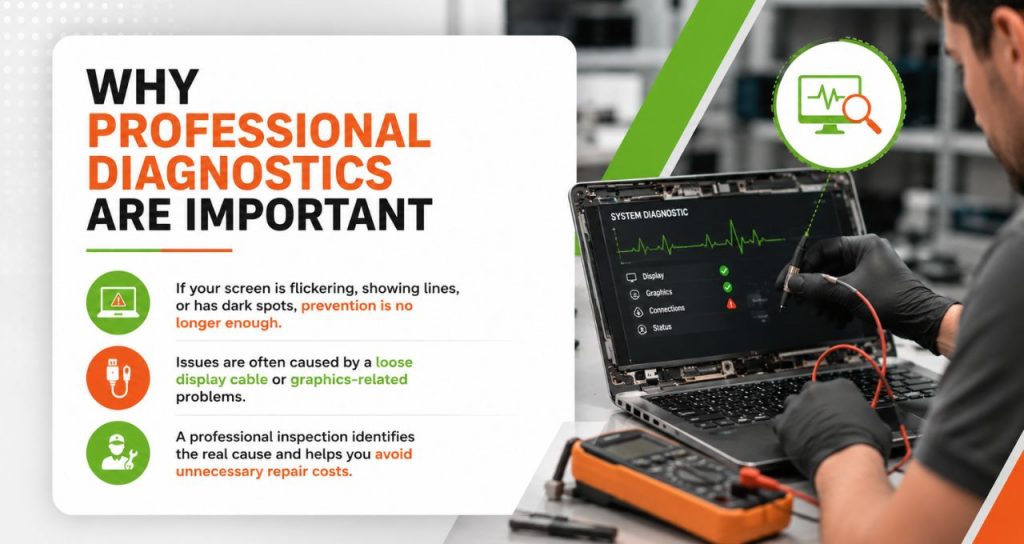
4. Why Professional Diagnostics Are Important
If your screen is already flickering, showing lines, or has dark spots, prevention is no longer enough.
Many people assume they need a new screen, but that is not always the case. Sometimes the issue is caused by a loose display cable or even a graphics-related problem.
A professional inspection can identify the real cause and help you avoid spending money on unnecessary repairs. Whether you need computer screen repair near me or more advanced hardware repairs, experienced technicians can find the problem and recommend the right solution.
Read our Blogs:
- Laptop Screen Repair Houston | Trusted Local Techs
- Laptop Screen Repair in Houston for OLED & Touchscreen Laptops
Get Help from Houston’s Trusted Repair Experts
If your laptop screen is cracked, dim, flickering, or not working properly, it is best to have it checked by professionals before the problem gets worse.
At We Fix PC Laptop, we provide honest diagnostics and reliable repair services to get your device working again as quickly as possible.
Whether you need a simple inspection or a complete screen replacement, our team is here to help.
Frequently Asked Questions
Yes. Pressure can damage the display layers underneath the glass without causing a visible crack. This often appears as dark spots, white marks, or discoloration on the screen.
It depends on the type of wipe. Strong medical alcohol wipes may be too harsh. A microfiber cloth lightly dampened with 70% isopropyl alcohol is generally safe for most screens. Always check the manufacturer’s instructions first, especially for matte displays or Apple Retina screens.
Screens usually do not crack without a reason. Internal cracks are often caused by pressure, repeated stress from opening the lid unevenly, or carrying the laptop in a tightly packed bag.
The cost depends on the laptop brand, model, and screen type. Standard screen replacements usually cost between $150 and $350, while premium laptops and MacBooks may cost more because of their specialized parts and design.
- Comprehensive Laptop Screen Repair Guide: 2026 Professional Solutions
- Laptop Repair or Replacement? How to Decide Before Spending Hundreds of Dollars
- OLED and Touchscreen Laptop Repair vs. Replacement: A Cost-Benefit Guide
- Emergency Laptop Screen Repair in Houston: What to Do When Your Screen Breaks
- Top-Rated Computer Repair Shop In Texas: We Fix PC Laptop
- Expert Computer Repair Technician for Managed IT Services in Houston